SumUp Loyalty Passes for Apple Wallet and Google Wallet: A Developer Guide
SumUp's loyalty add-on ships no Wallet pass and no API. Learn how to issue and auto-update Apple Wallet and Google Wallet loyalty cards from SumUp checkouts with a single pass API.
SumUp has a loyalty program, but no way to put that loyalty card in Apple Wallet or Google Wallet, and no loyalty API to build one from.
This guide builds one anyway on top of SumUp’s payments APIs. Customers add the digital punch card to Apple Wallet or Google Wallet, and it gains a stamp when they pay before pushing the update to their phone. You do not need an Apple Developer account or a pass-signing pipeline.
What SumUp gives you, and what it doesn’t
SumUp’s loyalty feature and SumUp’s developer platform are separate, and one does not call the other.
SumUp’s loyalty program is “Fivestars by SumUp.” SumUp acquired Fivestars in 2021 and it powers the loyalty and marketing product (also branded “SumUp Connect”). It is a merchant-facing tool: a customer database, automated campaigns, and a points-and-rewards engine you manage from the SumUp app, not from code.
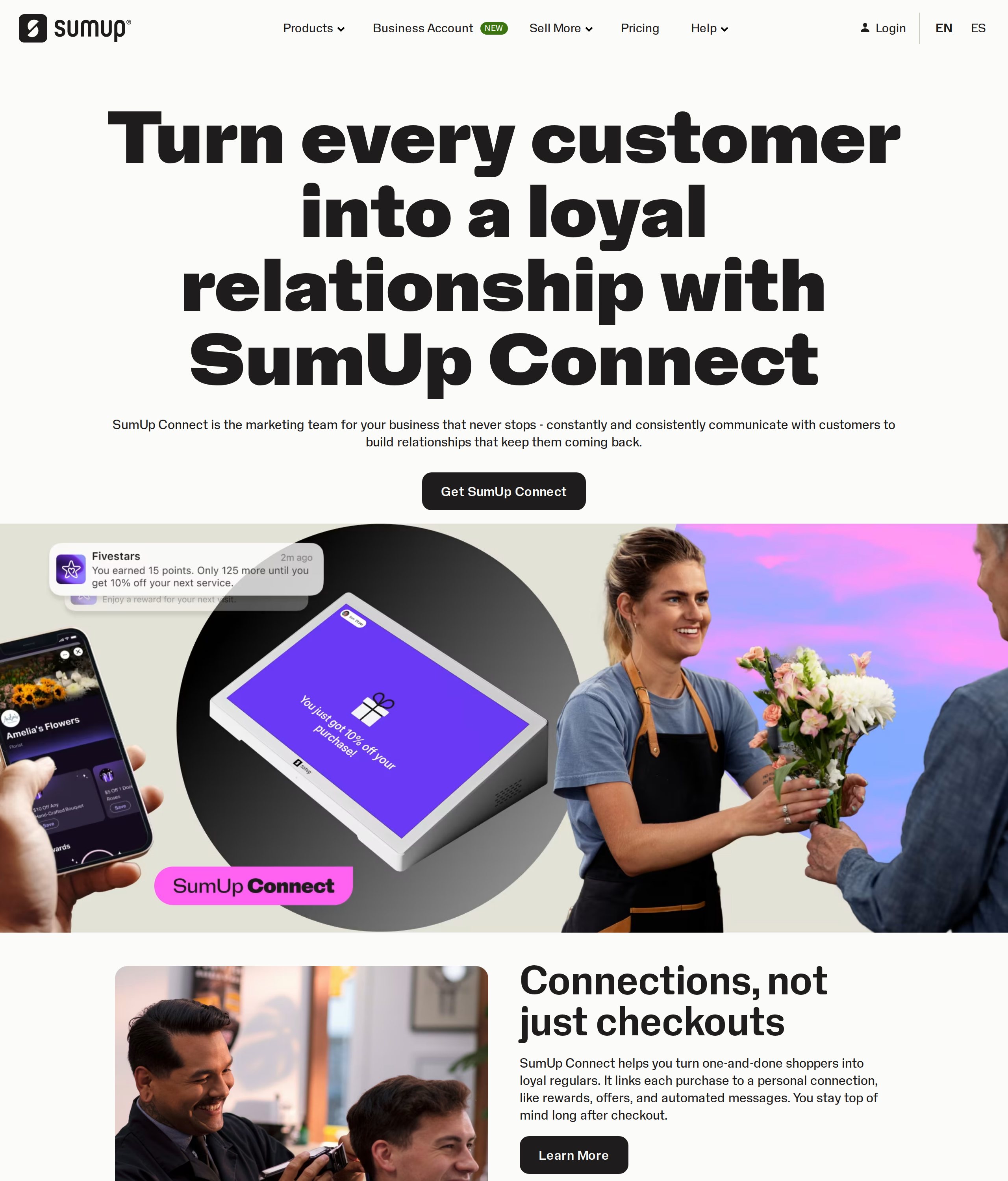 SumUp Connect (formerly Fivestars). Points, rewards, and automated marketing, all run from the merchant dashboard rather than an API.
SumUp’s developer platform exposes no loyalty API. The API reference has resources for Checkouts, Customers, Transactions, Payouts, Readers, and Merchants. It has nothing for Loyalty, Rewards, Fivestars, or Connect, and no documented webhooks for loyalty events. So as far as the public API goes, there is no supported way to read a customer’s points, grant a reward, or subscribe to “customer earned a stamp” events, which means you cannot reliably mirror SumUp’s built-in loyalty into a Wallet pass directly. The loyalty engine itself lives in the SumUp Connect / Fivestars dashboard, behind no public API.
SumUp also has no native Apple Wallet or Google Wallet pass. SumUp Pay (a consumer app available in the UK, Germany, and Italy) issues a virtual Mastercard you can add to Apple Pay and Google Pay, but that is a payment card, not a loyalty pass, and it is a different product from the merchant loyalty program.
The workaround:
Build your own loyalty pass on top of SumUp’s payments APIs. You drive purchases through SumUp’s Checkouts API, listen for the payment, and then issue or update a Wallet pass yourself. The pass holds the loyalty state; the SumUp payment triggers each update.
The architecture
The full loop has five steps, two of them one-time:
- Enrollment (once per customer). The customer joins your loyalty scheme. You create a SumUp customer record and a loyalty pass, then give them a link that adds it to Apple Wallet or Google Wallet, whichever their phone uses.
- Payment. The customer pays through a SumUp Checkout that carries their
customer_idand your webhook URL (return_url). - Webhook. SumUp sends a
CHECKOUT_STATUS_CHANGEDevent to your backend. - Verify. Your backend fetches the checkout from SumUp to confirm it is
PAIDand to read thecustomer_idand amount. - Update the pass. Your backend adds a stamp and calls the pass API. The customer’s card updates on their phone via a push, with no app and no reinstall.
The only durable state you keep is a small map: customer_id to pass serial
plus current stamp count. Everything else is a call to SumUp or to the pass API.
This guide uses WalletWallet as the pass API. It
issues to both Apple Wallet and Google Wallet from one request, signs the
.pkpass for you (no Apple Developer account, no certificates), and supports
live updates for a digital loyalty card on
both wallets. The SumUp side is the same whatever you sign passes with.
What you’ll need
- A SumUp account with API access. Create OAuth2 credentials or an API key under Profile → Developers in the SumUp dashboard.
- A WalletWallet API key. Grab one at walletwallet.dev/signup.
- A small backend to hold the webhook and your
customer_idtoserialmap. Examples below are in Node / Cloudflare Workers, but any stack works.
Step 1: Authenticate with SumUp
SumUp uses OAuth 2.0. The base URL is https://api.sumup.com. For a backend that
acts on your own merchant account, the simplest path is to use an API key from
the dashboard as a bearer token:
curl https://api.sumup.com/v0.1/me \
  -H "Authorization: Bearer $SUMUP_API_KEY"
If you are building a multi-merchant integration (acting on behalf of other SumUp businesses), use the full OAuth authorization-code flow instead and exchange the code for a token:
curl https://api.sumup.com/token \
  -X POST \
  -H "Content-Type: application/x-www-form-urlencoded" \
  -d "grant_type=authorization_code" \
  -d "code=$AUTHORIZATION_CODE" \
  -d "redirect_uri=$REDIRECT_URI" \
  -d "client_id=$SUMUP_CLIENT_ID" \
  -d "client_secret=$SUMUP_CLIENT_SECRET"
{
"access_token": "{ACCESS_TOKEN}",
"token_type": "Bearer",
"expires_in": 3599,
"refresh_token": "{REFRESH_TOKEN}",
"scope": "payments customers payment_instruments"
}You want the payments and payment_instruments scopes for this integration.
SumUp’s Customers endpoints fall under payment_instruments. Refresh the token
with grant_type=refresh_token when it expires. From here on, every SumUp call
carries Authorization: Bearer <token>.
You also need your merchant_code (visible in the dashboard or from
GET /v0.1/me). It appears in the checkout body and the transactions path.
Step 2: Create the SumUp customer (your loyalty join key)
A SumUp transaction does not contain a customer identity. The only “user”
field on a transaction is the merchant’s email. The single place SumUp ties a
payment to a specific person is the customer_id you attach to a checkout,
so the SumUp customer record is what your whole loyalty loop hangs on.
Note that customer_id is caller-supplied, not generated by SumUp. Use your
own stable id (your loyalty member id) so the same value joins your database, the
SumUp customer, and the Wallet pass:
curl https://api.sumup.com/v0.1/customers \
  -X POST \
  -H "Authorization: Bearer $SUMUP_API_KEY" \
  --json '{
    "customer_id": "loyalty-adam-001",
    "personal_details": {
      "first_name": "Adam",
      "last_name": "Pearson",
      "email": "adam@example.com"
    }
  }'
Do this once, when the customer opts into your loyalty scheme. See the
Customers API for the full
personal_details and saved-card fields.
Step 3: Issue the loyalty pass (Apple Wallet and Google Wallet)
At enrollment, create the pass and deliver it. One JSON request to
POST /api/passes returns everything you need for both wallets in a single
response, and you handle no certificates and need no Apple Developer account.
A loyalty card is mostly a recognizable brand, a stamp count, and a scannable code. The barcode encodes the member id, so the same value identifies the customer whether they pay online or tap a card in person:
curl -X POST https://api.walletwallet.dev/api/passes \
  -H "Authorization: Bearer <your_key>" \
  -H "Content-Type: application/json" \
  -d '{
    "barcodeValue": "loyalty-adam-001",
    "barcodeFormat": "QR",
    "logoText": "Bay Roast Coffee",
    "colorPreset": "dark",
    "description": "Bay Roast Coffee loyalty card",
    "secondaryFields": [
      { "key": "stamps", "label": "STAMPS", "value": "0 / 10" }
    ],
    "backFields": [
      { "label": "How it works", "value": "Earn a stamp every time you pay. Your 10th coffee is on us." }
    ]
  }'
POST /api/passes returns a JSON envelope with everything you need for both
wallets:
{
  "serialNumber": "5f2c…",
  "googleSaveUrl": "https://pay.google.com/gp/v/save/…",
  "applePass": "<base64 .pkpass>",
  "shareUrl": "https://pass.walletwallet.dev/p/5f2c…"
}serialNumberidentifies the pass. Capture it, because you need it to push updates later.googleSaveUrlis the Add to Google Wallet link.applePassis the signed.pkpass, base64-encoded, if you want to host the file yourself.shareUrlis a hosted install page at/p/<serial>(covered just below).
In code, all you need to keep is the serial:
const passBody = {
  barcodeValue: "loyalty-adam-001",
  barcodeFormat: "QR",
  logoText: "Bay Roast Coffee",
  colorPreset: "dark",
  description: "Bay Roast Coffee loyalty card",
  secondaryFields: [
    { key: "stamps", label: "STAMPS", value: "0 / 10" },
  ],
};

const res = await fetch("https://api.walletwallet.dev/api/passes", {
  method: "POST",
  headers: {
    Authorization: `Bearer ${WALLETWALLET_KEY}`,
    "Content-Type": "application/json",
  },
  body: JSON.stringify(passBody),
});

const { serialNumber, shareUrl } = await res.json();   // save the serial!

// Persist the join: customer_id -> { serial, stamps } (KV values are strings).
await env.LOYALTY.put("loyalty-adam-001", JSON.stringify({ serial: serialNumber, stamps: 0 }));
Deliver the pass with the shareUrl. Every pass comes with a hosted install
page at /p/<serial>, returned as shareUrl. Send that one link to the customer
on your thank-you page, in a welcome email, or by text, and they open it on their
own phone: the page detects the device and shows the right Add to Wallet button,
Apple on iPhone and Google on Android, and falls back to a QR code to scan on
desktop. The customer installs the card themselves, so you host nothing. If you
would rather build your own page, the envelope also hands you applePass for
Apple’s Add to Apple Wallet badge and googleSaveUrl for the Google button.
Once the customer adds it, the card is on their phone, and from then on you never
redeliver it. You only update it.
Branding tip:
logoTextand the sixcolorPresetthemes are available on every plan. A custom logo, a full-bleed strip image (which turns the pass into Apple’s native store-card layout), and custom hex colors are Pro features. Start simple and upgrade the look later without changing any of this flow.
Step 4: Take payment through a SumUp Checkout
To get a programmatic signal that a specific customer paid, route the payment
through the
Checkouts API
with two key fields: customer_id (who paid) and return_url (where
SumUp sends the webhook).
curl -X POST https://api.sumup.com/v0.1/checkouts \
  -H "Content-Type: application/json" \
  -H "Authorization: Bearer $SUMUP_API_KEY" \
  -d '{
    "amount": 4.50,
    "currency": "EUR",
    "checkout_reference": "order-2026-0042",
    "merchant_code": "MCXXXXXX",
    "customer_id": "loyalty-adam-001",
    "description": "Flat white",
    "return_url": "https://loyalty.example.com/webhooks/sumup?t=YOUR_SECRET",
    "redirect_url": "https://shop.example.com/thanks",
    "hosted_checkout": { "enabled": true }
  }'
The response includes the checkout id, a hosted_checkout_url you can redirect
the customer to, and an initial status of PENDING.
Constraint: the webhook fires only for checkouts you create with a
return_url. SumUp has no account-wide “any sale” event, so a walk-in customer who taps a card on the reader without a checkout you initiated will not trigger it. For those in-person cases, see In-person payments below, where you scan the pass instead.
Step 5: Handle the webhook and update the pass
When the checkout’s status changes, SumUp POSTs a deliberately minimal payload to
your return_url:
{ "event_type": "CHECKOUT_STATUS_CHANGED", "id": "8f9c1d2e-..." }SumUp webhooks have two important properties (docs):
- The payload has no amount, no status, no customer. Just the checkout id. You must call the API back to learn what actually happened. SumUp explicitly tells you to verify by fetching the resource.
- SumUp does not document a webhook signature. Treat the bare event as
untrusted: put an unguessable secret in your
return_url(as above), and trust only what the authenticatedGET /v0.1/checkouts/{id}returns. Acknowledge with a2xxonly once you have durably processed the event, and return a5xxon a transient failure so SumUp retries (1 min, 5 min, 20 min, 2 hours). Make stamping idempotent, too, since the same event can be redelivered.
Here is the whole handler. It dedupes the event, verifies the checkout, pushes the update, and acknowledges only once that succeeded:
export default {
  async fetch(req, env) {
    if (req.method !== "POST") return new Response("Method Not Allowed", { status: 405 });

    // Reject anything without our return_url secret.
    if (new URL(req.url).searchParams.get("t") !== env.WEBHOOK_SECRET) {
      return new Response(null, { status: 200 }); // ack & ignore
    }

    const event = await req.json();
    if (event.event_type !== "CHECKOUT_STATUS_CHANGED") {
      return new Response(null, { status: 200 }); // ignore unknown events
    }

    // Idempotency: SumUp redelivers events, so a given checkout is stamped once.
    if (await env.LOYALTY.get(`seen:${event.id}`)) {
      return new Response(null, { status: 200 });
    }

    // 1. The payload is just an id, so fetch the real checkout to verify it.
    //    If the lookup itself fails, 5xx so SumUp retries (don't ack blindly).
    const lookup = await fetch(`https://api.sumup.com/v0.1/checkouts/${event.id}`, {
      headers: { Authorization: `Bearer ${env.SUMUP_API_KEY}` },
    });
    if (!lookup.ok) return new Response("SumUp lookup failed", { status: 502 });
    const checkout = await lookup.json();

    if (checkout.status !== "PAID" || !checkout.customer_id) {
      return new Response(null, { status: 200 }); // not a completed, attributed sale
    }

    // 2. Look up this customer's loyalty record (your own store).
    const customerId = checkout.customer_id;
    const record = (await env.LOYALTY.get(customerId, "json")) ?? { serial: null, stamps: 0 };
    const stamps = record.stamps + 1;

    // 3. Build the full pass body (PUT replaces the pass, so send everything).
    const passBody = {
      barcodeValue: customerId,
      barcodeFormat: "QR",
      logoText: "Bay Roast Coffee",
      colorPreset: "dark",
      description: "Bay Roast Coffee loyalty card",
      secondaryFields: [
        { key: "stamps", label: "STAMPS", value: `${stamps} / 10`,
          changeMessage: "You earned a stamp, now at %@" },
      ],
    };

    const ww = { Authorization: `Bearer ${env.WALLETWALLET_KEY}`, "Content-Type": "application/json" };

    // 4. Create (first purchase) or update (returning) the pass. Only advance
    //    the balance if the pass API actually succeeded.
    let serial = record.serial;
    let res;
    if (serial) {
      res = await fetch(`https://api.walletwallet.dev/api/passes/${serial}`, {
        method: "PUT", headers: ww, body: JSON.stringify(passBody),
      });
    } else {
      res = await fetch("https://api.walletwallet.dev/api/passes", {
        method: "POST", headers: ww, body: JSON.stringify(passBody),
      });
      if (res.ok) {
        const created = await res.json();
        serial = created.serialNumber;
        // First purchase: send created.shareUrl to the customer. They open it on
        // their own phone and tap Add to Wallet (Apple or Google, auto-detected).
        // deliverShareLink(customerId, created.shareUrl);
      }
    }
    if (!res.ok) return new Response("pass update failed", { status: 502 }); // SumUp retries

    // 5. Persist the new balance, then mark this checkout processed (30-day TTL).
    await env.LOYALTY.put(customerId, JSON.stringify({ serial, stamps }));
    await env.LOYALTY.put(`seen:${event.id}`, "1", { expirationTtl: 60 * 60 * 24 * 30 });

    return new Response(null, { status: 200 });
  },
};
Once the pass is on the customer’s phone, every future purchase runs the update
branch: a single PUT advances the stamp count, and the customer sees the change
on their lock screen seconds later.
How the live update works
The PUT /api/passes/{serial} call is what separates a live loyalty card from a
static coupon. A few details to get right:
PUTreplaces the pass contents rather than patching them. Send the complete pass body every time (as the handler does), including the fields that did not change.- Keep a stable
keyon fields you update. The handler useskey: "stamps"on both create and update so Apple knows it is the same field changing, which is what drives the change banner. changeMessagemust contain%@. Apple substitutes it with the field’s new value."You earned a stamp, now at %@"with a value of"7 / 10"shows “You earned a stamp, now at 7 / 10” on the lock screen.- Identical updates are free and silent. If the pass body has not actually
changed, the API responds
{ "notifiedDevices": 0, "unchanged": true }and sends no push, so you avoid needless churn. When it has changed, the response tells you how many of the customer’s devices were notified. - One
PUTupdates both wallets. The same call re-signs the Apple pass and updates the Google object, then pushes to whichever wallets the customer installed, so you keep a single update path for Apple and Google.
There is no app to build and nothing for the customer to reinstall. The card they added at enrollment is the card that fills up.
In-person payments: scan the pass
The checkout webhook covers online and app-driven payments, but plenty of SumUp
volume is a card tapped on a reader at the counter. Those ad-hoc taps do not carry
a customer_id and do not fire a webhook, so you cannot attribute them to a
loyalty member from the payment alone.
The robust pattern here is to flip the trigger around: identify the customer by
scanning their pass. The pass barcode already encodes the member id
(barcodeValue), so at checkout your staff scans the customer’s Wallet card, your
POS resolves the member id, and you call the same PUT to add a stamp. This
decouples loyalty from SumUp’s payment events entirely and works with every SumUp
payment method. It is also how most physical stamp cards already operate.
Many merchants run both: the webhook loop for online orders, the scan loop at the
counter. Both end in the same one-line PUT.
Redeeming rewards
When the stamp count hits your threshold, change the pass into a “reward ready”
state on the next PUT. For example, set the stamp field to "REWARD READY 🎉"
with changeMessage: "%@" so the customer gets a clear banner. When they redeem,
PUT again to reset the count to 0 / 10. Because every state lives in your
customer_id to stamps record, redemption is just another update.
Google Wallet
The examples above center on the Apple card, but WalletWallet issues to Google
Wallet from the same call, and the SumUp side does not change: the checkout,
webhook, verification, and stamp logic are identical. Every POST /api/passes
returns the googleSaveUrl and shareUrl next to the Apple pass, and each PUT
updates the Google object too, so a SumUp merchant covers customers on both
platforms from one backend. Structure your pass data exactly as above and it works
on both wallets.
FAQ
Does SumUp have a loyalty API?
Not through SumUp’s developer platform. Its API reference has no Loyalty or Rewards resource, and there are no documented loyalty webhooks (points earned, reward unlocked). The loyalty product (“Fivestars by SumUp” / SumUp Connect) is managed from the merchant dashboard, not the API. There is no supported way to read points or subscribe to loyalty events programmatically, so to build a loyalty pass you work from SumUp’s payments APIs (Checkouts and Customers) instead.
Does SumUp offer Apple Wallet or Google Wallet passes?
Not natively. SumUp Pay (UK/DE/IT) issues a virtual Mastercard that can be added to Apple Pay and Google Pay, but that is a payment card, not a loyalty pass, and it is separate from the merchant loyalty program. Issuing a Wallet pass is something you add yourself with a pass API.
Can I trigger a stamp on any SumUp sale automatically?
Only for payments you create as Checkouts with a return_url. SumUp’s single
webhook event, CHECKOUT_STATUS_CHANGED, is per-checkout. There is no
account-wide “any sale” event, and plain in-person card taps do not notify you.
For those, scan the customer’s pass at the counter to add the stamp.
How does the customer’s card update after they pay?
You call PUT /api/passes/{serial} with the new stamp count. The pass API
re-signs the pass and pushes the update to both wallets, an Apple Push (APNs) to
every Apple device and a Google Wallet push to every Android install, so the card
updates without any app or reinstall.
Do I need an Apple Developer account or signing certificates?
No. That is the point of using a pass API like
WalletWallet: it signs the .pkpass with its own
certificate, so you send JSON and get a valid pass back. There is no Pass Type ID,
WWDR certificate, or signing pipeline for you to manage.
How do I tie a SumUp payment to a specific customer?
Set a customer_id on the checkout. A SumUp transaction has no customer
identity; the customer link exists only on the Checkouts (and Customers) API. Use
your own stable loyalty id as the customer_id so it joins your database, SumUp,
and the Wallet pass.
That completes the integration. On the SumUp side you create checkouts and handle
one webhook; on the pass side you POST once to create the card and PUT to
update it. The customer adds the card once and it fills in as they pay.
To build it, get an API key and see
the full request reference in the docs. If
you are new to .pkpass files, start with
Apple Wallet QR Code Pass API.
Build your first wallet pass
Turn one JSON request into a pass that installs in Apple Wallet and Google Wallet, with live updates that reach both.