TryBadge vs WalletWallet API
TryBadge is enterprise embedded wallet infrastructure for platforms; WalletWallet is a self-serve $39/mo Apple Wallet API for developers. Different buyers, different products, and here's how to pick.
TryBadge (the product is branded “Badge”) is enterprise embedded wallet infrastructure for platforms like POS networks, payments processors, and loyalty SaaS, covering Apple and Google Wallet with full lifecycle, white-label embedding, push, NFC, and analytics. Pricing is not published, and sales run through a demo.
WalletWallet is a REST API for Apple Wallet and Google Wallet passes with a dashboard on top, served sub-200ms from Cloudflare’s global edge. POST creates a signed .pkpass; PUT updates it and pushes the refresh over APNs. The same call also issues a native Google Wallet pass. $39/month flat with no Apple Developer account.
These products serve different buyer profiles. This page lays both out honestly.
Summary
TryBadge is a wallet platform for enterprise teams embedding passes into a larger product. Apple + Google Wallet (with Samsung mentioned at the API layer); ships pass updates, push, NFC, analytics, an embed SDK, and a customer-engagement platform. Badge no longer publishes pricing or plan tiers: the site offers “Book a Demo” and “Start Building”. Customers bring their own Apple Developer Program account ($99/year) and Pass Type ID.
WalletWallet is a REST API for Apple Wallet and Google Wallet passes with a dashboard on top, served sub-200ms from Cloudflare’s global edge. POST creates a signed .pkpass; PUT updates it and pushes the refresh over APNs. One POST issues to both wallets; PUT updates and pushes to both. $39/month flat for up to 100,000 passes, with 1,000/mo free indefinitely. We sign with our certificate, so no Apple Developer account is needed.
Different products, different buyers.
What TryBadge is
TryBadge calls itself “The wallet platform built for scale.” The product is embedded infrastructure: businesses put wallet passes inside their customer-facing product, often serving many downstream merchants at once.
The docs describe a model around workspaces, pass templates, and per-user passes. The API base is https://api.trybadge.com/v0/..., and the surface is wide: pass template CRUD, pass upsert and void, push dispatch and batching, webhook management, embed SDK token, and a dedicated NFC endpoint. The full reference is publicly browsable at docs.trybadge.com/reference.
The marketing site lists logos including Carrefour, Hoka, Shift4, Stripe, Synchrony, and Yale under a “Trusted by leading businesses” carousel. We didn’t find detailed published case studies for Stripe or Shift4 in the body copy. The logos appear in a “Trusted by” placement, which is a real signal at enterprise scale but isn’t the same as a written case study. Security posture is enterprise-shaped: SOC 2 Type 2 claimed on the site, GDPR readiness, and localization for 70+ countries.
What WalletWallet is
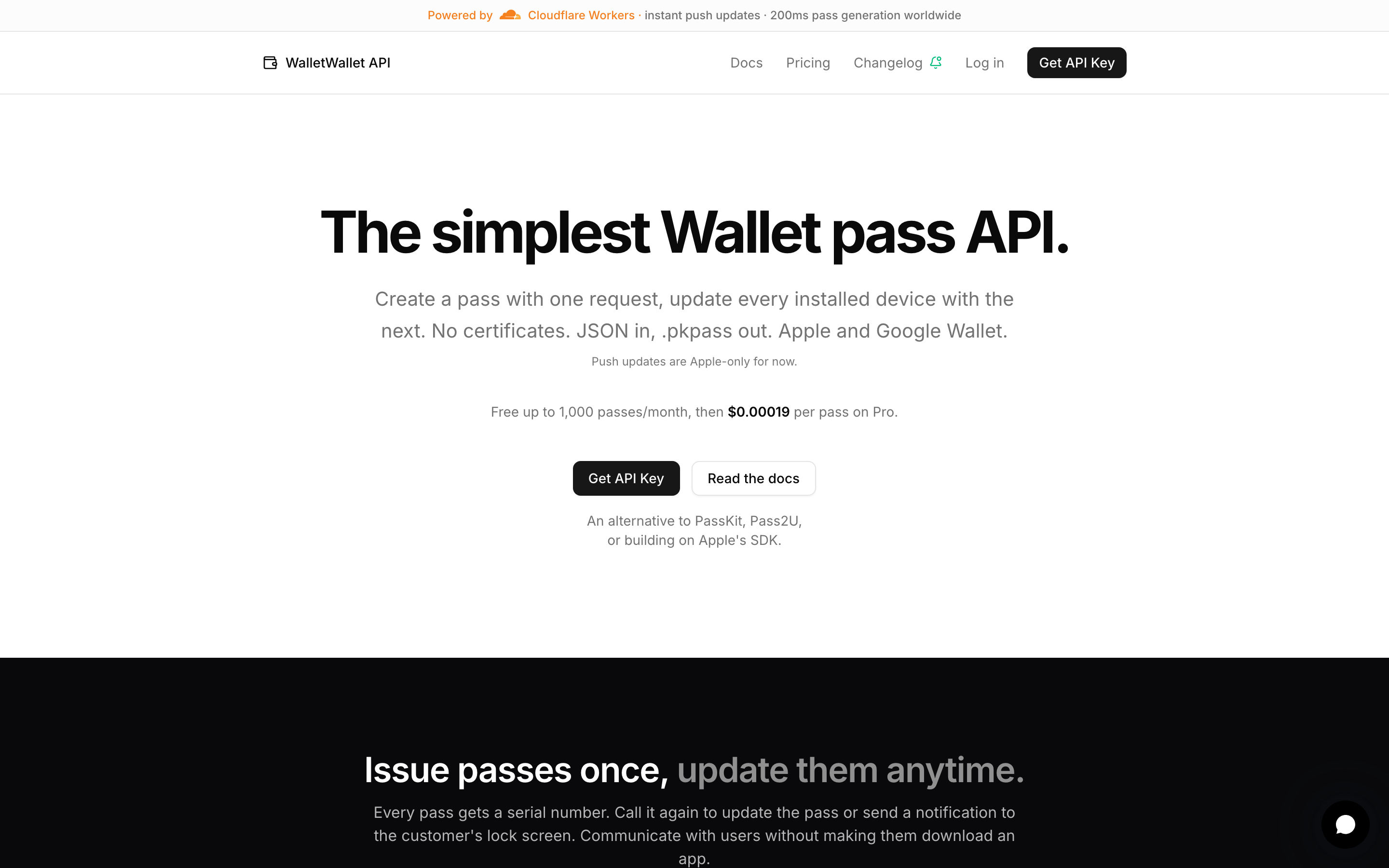
WalletWallet is a REST API for Apple Wallet and Google Wallet passes with a dashboard on top, served from Cloudflare’s global edge. POST creates a pass, PUT updates it, DELETE revokes it, and GET reads it, with no template or project setup in the API.
- Apple Wallet, fully.
POST /api/passescreates a signed pass and returns itsserialNumber.PUT /api/passes/{serial}updates the pass and fans out an APNs push to every installed device. Identical bodies are free no-ops. - Native Google Wallet. One API call mints a real Google Wallet object and returns a Save to Google Wallet link, so a pass lands in both wallets.
PUTpushes live updates to Google as well as Apple. - Fast and cheap. Sub-200ms pass generation and instant push, served from Cloudflare’s co-located global edge. $39/mo flat for up to 100,000 passes, with 1,000/mo free indefinitely. No Apple Developer account required, since we sign with our certificate.
- Everything a pass needs. Geofencing (up to 10
locationssurface the pass on the lock screen near a coordinate), barcode formats (QR,PDF417,Aztec,Code128),expirationDays, six color presets free plus custom hex on Pro, brand assets (logoURL/thumbnailURL/stripURL/iconURL),changeMessagetemplates for lock-screen banners, andorganizationNameas the notification title. See/llms.txtfor the full list. - Start simple, stay simple. The Pass Editor on the homepage previews every pass change live, including push updates. Tune the fields, colors, and images, watch the pass update, then copy the equivalent code and run it. The dashboard editor handles signed-in push-to-installed-passes too.
- Agent-ready docs. Point Claude or any LLM at
/llms.txtand it knows how to call the API. - Usable by non-developers. The Pass Editor doesn’t require writing code to design or test a pass.
Side-by-side: a different shape of comparison
A typical “vs” article shows two API calls. Here, the shape itself is the signal.
TryBadge is template-based. You create a Pass Template (in the workspace UI or via the API), then call userPassUpsert with the template ID and a user object. From the API reference:
POST https://api.trybadge.com/v0/rpc/userPassUpsert
Authorization: Bearer <token>

{
  "passTemplateId": "<uuid>",
  "user": { ... },
  "pass": { ... },
  "sendEmailInvite": true
}
The endpoint is documented as: “Given a pass template and user information, ensure a pass exists for the user.” The same call creates and updates. The Apple Wallet payload is delivered via a separate passAppleWalletPkpass endpoint that returns either a JSON download URL or the binary .pkpass depending on the Accept header.
WalletWallet is one call:
curl -X POST https://api.walletwallet.dev/api/passes?format=pkpass \
  -H "Authorization: Bearer ww_live_..." \
  -H "Content-Type: application/json" \
  -d '{
    "barcodeValue": "MEMBER-12345",
    "barcodeFormat": "QR",
    "logoText": "Loyalty Card",
    "primaryFields": [{"label": "BALANCE", "value": "$42.50"}],
    "secondaryFields": [{"label": "MEMBER", "value": "Sarah K."}]
  }' \
  --output member.pkpass
The response body is the .pkpass file.
Both approaches are valid. TryBadge’s template + workspace model is built for lifecycle and multi-tenant embedding. WalletWallet’s stateless model fits backends that already own the rest of the lifecycle.
Pricing: what we can and can’t say
TryBadge does not publish pricing. As of 2026-11-10 its former pricing page returns a 404, and the site shows no prices or plan tiers, only “Book a Demo” and “Start Building”.
So if someone asks “is TryBadge cheaper than WalletWallet at 10,000 passes?” the honest answer is: we don’t know, and neither do you until you talk to their team. We won’t invent a number to fill our pricing table.
WalletWallet’s pricing is on our pricing page: free at 1,000 generations/month indefinitely, $39/month flat for up to 100,000 generations, and $99/month flat for up to 1,000,000. Apple Developer account not required since we sign by default.
One item remains comparable honestly:
- TryBadge requires an Apple Developer Program account (cert setup guide): “In order to issue passes in Apple Wallet, Apple requires that you have an Apple Developer Program account.” That’s $99/year to Apple. WalletWallet customers don’t pay it.
If your decision rides on a verifiable dollar number, request a TryBadge quote and compare it against our posted $39.
What WalletWallet doesn’t do (yet)
Compared to TryBadge, today WalletWallet:
- No Samsung Wallet. TryBadge’s marketing mentions Samsung once, in “a unified API layer across Apple, Google, and Samsung,” but the claim isn’t echoed in documented endpoints. Either way, we don’t ship Samsung and it isn’t on our roadmap.
- No NFC. TryBadge has a dedicated
/reference/nfcendpoint. - No analytics dashboard or embed SDK, and no customer-engagement platform beyond Campaigns (beta). TryBadge ships all three.
If any of these are blocking, TryBadge is the better pick.
Feature comparison
| TryBadge | WalletWallet | |
|---|---|---|
| Apple Wallet pass generation | ✓ | ✓ |
| Google Wallet support | ✓ | ✓ |
| Samsung Wallet support | marketing-claimed | — |
| Pass updates (Apple Wallet) | ✓ | ✓ (PUT /api/passes/{serial}) |
| Push notifications (Apple Wallet) | ✓ | ✓ (APNs fan-out on every PUT; Campaigns, beta, sends a notification to many passes from the dashboard) |
| Pass updates / push on Google Wallet | ✓ | ✓ (PUT /api/passes/{serial}) |
| NFC (Apple VAS / equivalents) | ✓ | — |
| Embed SDK / white-label | ✓ | no embed SDK; white-label through the API: your own Apple certificate and Google issuer per client (credential sets, Pro and up), branded share pages and a custom domain (Business); no rebranded dashboard for your clients |
| No-code Pass Editor | ✓ | ✓ (homepage + dashboard) |
| Wallet analytics | ✓ | no dashboard; install counts per pass in Pass Manager |
| Webhooks | ✓ | — |
| Customer-engagement / segmentation | ✓ | ✓ (Campaigns, beta: send a notification to any set of passes you search or list) |
| Multi-template management | ✓ | — |
| Apple cert handling | bring your own ($99/yr) | platform handles |
| API model | template → upsert → wallet delivery | POST + PUT, stateless |
| Free tier | not published | 1,000 passes/mo, indefinite |
| Public pricing | no (not published; book a demo) | yes ($39/mo flat) |
| SOC 2 Type 2 | claimed | — |
| Data locality / isolated infra | not on the current site | no |
| Edge delivery | not stated | Cloudflare Workers |
When TryBadge is the better pick
- You’re a platform, not an end-merchant (think POS, payments, loyalty SaaS, financial services) embedding wallet into a product that serves many downstream tenants. TryBadge’s embed SDK, white-label, and template architecture are built for that.
- You need Apple + Google + Samsung from one vendor, or at least Apple + Google with a Samsung story for procurement.
- You need NFC or analytics shipped today. Both are in TryBadge’s reference and neither ships in WalletWallet beyond install counts per pass. (Apple and Google Wallet pass updates and push are on both sides.)
- Your buying process involves SOC 2 Type 2 and procurement review. Badge states SOC 2 Type 2 certification and sells by demo; we don’t offer either.
- You have, or can easily get, an Apple Developer account. TryBadge requires it.
When WalletWallet is the better pick
- You want the fastest pass generation and push. Sub-200ms generation from Cloudflare’s co-located global edge, with APNs push landing on every installed device within seconds. Most competitors don’t publish latency numbers and we do.
- You want a live preview before writing any code. The Pass Editor on our homepage previews every pass change (fields, colors, images, push), and the dashboard editor sends real push updates to installed passes after signup. Copy the equivalent code when you’re ready.
- You want agent-ready docs. Point Claude or any LLM at
/llms.txtand it can call the API end-to-end. No SDK plumbing needed, since the docs are designed for both humans and agents. - Non-developers on your team will touch this too. The Pass Editor doesn’t require writing code to design or test a pass.
- You skip the Apple Developer Program entirely. We sign with our certificate by default, so there’s no $99/yr fee, no Pass Type ID setup, and no certificate renewal calendar.
- You’re a developer or small product team adding wallet passes to a product you already own. Self-serve, card-on-file, no procurement.
- You’d rather hold member/tenant data in your own backend. We sign and push updates, but we don’t try to be the source of truth for users, segments, or analytics, since TryBadge’s embed model owns more of that.
- You don’t want to manage an Apple Developer account. We sign by default, with BYO cert supported.
- A predictable $39/month is easier to budget than a quote. Below 1,000 passes/month, the free tier covers you indefinitely.
- You need to issue a batch of passes without writing a script. Batch import takes a CSV with one row per pass, maps the columns into a single pass design as
{{column}}tokens, and returns a CSV of serial numbers and share links. Up to 100 records per batch on Free, 1,000 on Pro. - You want to be live in an afternoon. One
curlfor create, one for update, one binary back.
Try it before you decide
Get a free API key with 1,000 passes/month indefinitely and no card. After signup the Pass Editor in the dashboard previews every pass change live (including push updates to installed passes), so you can dial in fields, colors, and images, then copy the equivalent code and run it. Before signup the homepage Pass Editor runs the same preview live.
FAQ
Is TryBadge cheaper or more expensive than WalletWallet? We can’t tell you, because TryBadge does not publish pricing. Its former pricing page returns a 404, and the site offers only “Book a Demo” and “Start Building”. WalletWallet is publicly $39/month flat for up to 100,000 passes. If pricing is decisive, book a TryBadge demo and compare directly.
Does TryBadge require an Apple Developer account? Yes. Their cert setup guide is explicit: “In order to issue passes in Apple Wallet, Apple requires that you have an Apple Developer Program account.” Customers register a Pass Type ID, generate a CSR via Badge’s API, and upload the cert. That’s the $99/year Apple Developer Program fee. WalletWallet does not require this, since we sign by default.
Does TryBadge support Samsung Wallet? TryBadge’s marketing mentions Samsung once, in “a unified API layer across Apple, Google, and Samsung.” That isn’t reflected in any documented endpoint we found, since Apple and Google have dedicated reference endpoints while Samsung does not. Treat it as a marketing claim and ask their team if Samsung is decisive. WalletWallet does not support Samsung Wallet.
Can I migrate from TryBadge to WalletWallet? Apple-Wallet generation, updates, and push translate cleanly. Flows depending on NFC, webhooks, or analytics don’t have equivalents on our side.
Is TryBadge a competitor to WalletWallet? Not really. TryBadge sells to platforms embedding wallet into products serving many downstream merchants, with procurement-grade compliance and an engagement platform. WalletWallet is a self-serve $39/month API. Most teams know within five minutes which side of that line they’re on.
Last verified 2026-11-10. TryBadge feature and customer-logo claims are pulled from trybadge.com and the certificate guide on docs.trybadge.com. The former pricing page (trybadge.com/pricing) returned a 404 on that date, so this page cites no prices or plan tiers. Samsung Wallet support is asserted on TryBadge’s marketing site but not echoed in their documented endpoints, so we describe it as “marketing-claimed.” If you spot something out of date, especially if TryBadge has published dollar figures since, let us know and we’ll correct the page.
Try WalletWallet in 60 seconds
Sign up with just an email and verification code (no card), then generate your first signed .pkpass with one curl. Free tier covers 1,000 passes/month, indefinite.