Apple Wallet Featured Actions: All 14 Types and How to Add Them
See all 14 Apple Wallet Featured Action types, their icons and use cases, and learn how to add them to new or existing passes in iOS 27.
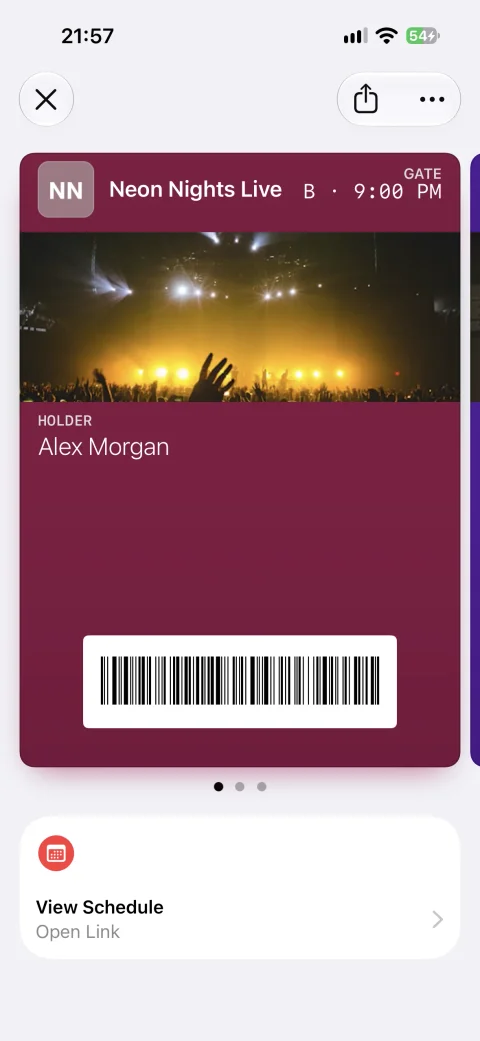
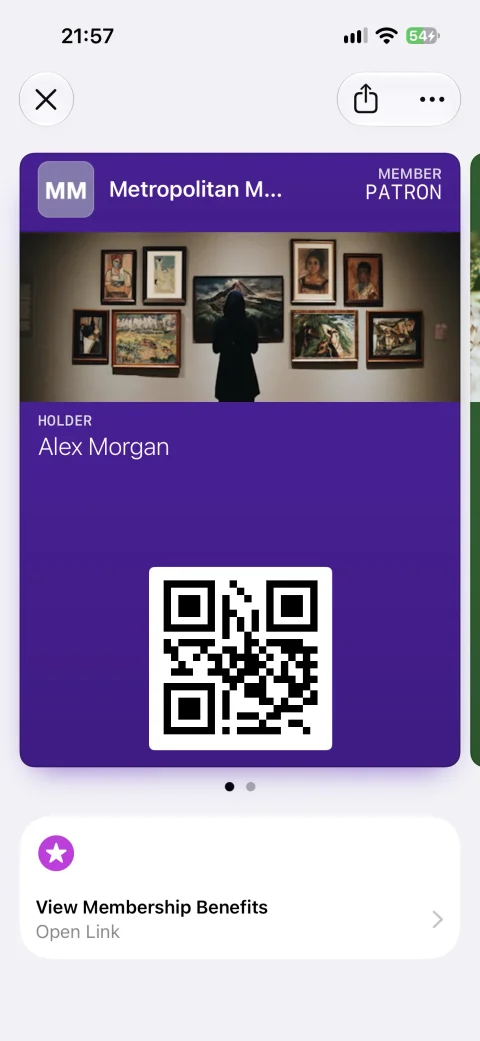
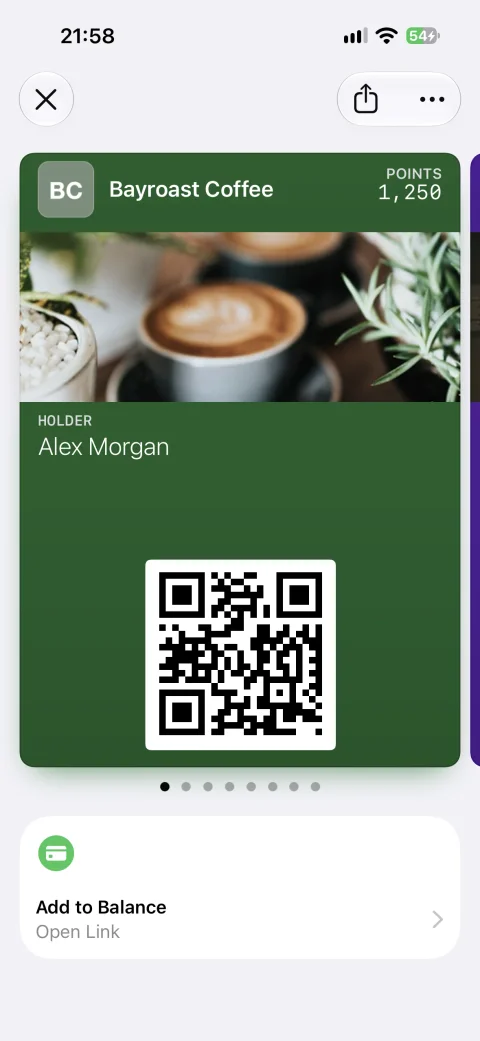
Featured Actions are up to two tappable tiles that appear beneath an Apple Wallet pass in iOS 27. A pass issuer chooses one of Apple’s 14 predefined action types and supplies its destination; Wallet presents the corresponding icon and call to action.
Apple announced the new featuredActions API at WWDC 2026. It extends the action experience introduced with second-generation event tickets to every pass style, including familiar Generic and Store Card passes. Devices running iOS 26 or earlier continue to show the pass without the new tiles.
This guide covers every published action, the pass types Apple recommends it for, the underlying pass.json structure, and how to add Featured Actions to passes that customers have already installed.
Testing status (September 5, 2026): We installed WalletWallet-generated test passes on a physical iPhone running iOS 27.0 beta, installed on September 4, 2026. The original screenshots below show 13 action types rendered in Wallet. This verifies tile appearance, not every linked booking, purchase, or other destination flow. These observations are specific to our beta test session and may change in later builds.
Update (October 9, 2026): All 14 types now render on our device. Go to Location (place) needs an Apple Maps Place ID in placeIdentifier instead of a url, which is why it didn’t render in September; its section has the details and a device capture.
Featured Actions at a glance
| Announced | June 8, 2026, at WWDC 2026 |
| Availability | iOS 27 beta; public iOS 27 release expected in September 2026 |
| Position | Directly beneath the pass when it is open in Wallet |
| Maximum | Two per pass, supplied in priority order |
| Pass styles | All pass styles on iOS 27 |
| Older devices | iOS 26 and earlier ignore the field and continue showing the pass |
| Configuration | Top-level featuredActions array in pass.json |
| Each action needs | A unique identifier, a supported type, and a destination url |
What are Apple Wallet Featured Actions?
Featured Actions turn the space immediately beneath a pass into a place for relevant next steps. A membership card can lead to benefits or rewards, an event ticket can open its schedule or soundtrack, and a store card can take the holder directly to an order or shopping flow.
That position is the important change. Links could already live in the information on the back of an Apple Wallet pass, but the cardholder had to open Pass Details to find them. Featured Actions put up to two links alongside the pass’s primary experience, where the next step is visible without opening another menu.
They aren’t exclusive to Apple’s new Poster Generic design. The iOS 27 API makes Featured Actions available across pass styles, while Apple recommends particular action types for events, generic passes, and membership use cases.
When did Apple introduce Featured Actions?
Apple introduced actions beneath second-generation event tickets in iOS 18, using semantic URLs for actions such as viewing an event schedule. At WWDC on June 8, 2026, the company announced a flexible top-level API for iOS 27 that makes actions available to every pass style. The announcement appears at 4:27 in Apple’s What’s new in Wallet session.
As of September 4, 2026, iOS 27 remains in beta and Apple hasn’t announced the final public release date. You can prepare and test compatible passes on the beta today, while customers on the current public version of iOS won’t see the tiles until they upgrade to iOS 27. Our WWDC 2026 Wallet roundup covers the other pass-format changes arriving alongside them.
How Featured Actions work
At the top level of pass.json, featuredActions takes an array of up to two action objects. Each object contains:
identifier: a value unique among the actions on that pass.type: one of Apple’s 14 supported action types.url: the destination opened when someone taps the tile.placeIdentifier: forplaceonly, an Apple Maps Place ID used instead ofurl.
The array order sets the priority. If you supply one action, Wallet displays one wide tile. If you supply two, Wallet places them beside each other in the order you provided.
{
  "featuredActions": [
    {
      "identifier": "member-benefits",
      "type": "membershipBenefits",
      "url": "https://example.com/membership"
    },
    {
      "identifier": "museum-location",
      "type": "place",
      "placeIdentifier": "I7C250D2CDCB364A"
    }
  ]
}
For these predefined actions, the type determines the standard title and icon shown by Wallet. You don’t add arbitrary button copy to the action object. That consistency is useful for cardholders, but it means the destination should genuinely match the action you select. A shop tile should lead to a storefront, for example, rather than an unrelated support page.
The call action uses a tel: destination and place uses an Apple Maps Place ID. The other types use web destinations, which can open a website or hand off to an associated app through a universal link.
All 14 Apple Wallet Featured Actions
Apple groups the predefined actions by their recommended context. These categories help you choose a relevant action; they aren’t separate pass styles or a reason to assume Featured Actions only work on one layout.
| Action | API type | What it opens | Recommended category |
|---|---|---|---|
| View Schedule | viewSchedule |
An event schedule | Events |
| Watch Trailer | watchTrailer |
A trailer for an upcoming event | Events |
| Listen to Music | listenToMusic |
Music or a playlist related to an event | Events |
| Call | call |
The Phone app with a supplied number | Generic |
| Go to Location | place |
A single location in Maps | Generic |
| Add to Balance | addToBalance |
A flow for loading a balance | Membership |
| Order Delivery or Pickup | order |
A delivery or pickup flow | Membership |
| Shop Online or In-App | shop |
An online or in-app store | Membership |
| View Membership Benefits | membershipBenefits |
Benefits, points, or membership tiers | Membership |
| Book an Appointment | bookAppointment |
A service scheduling flow | Membership |
| Book a Car | bookCar |
A car-rental booking flow | Membership |
| Book a Flight | bookFlight |
A flight-booking flow | Membership |
| Book a Stay | bookStay |
A hotel or hospitality booking flow | Membership |
| View Offers and Rewards | viewOffersRewards |
Offers or rewards related to the pass | Membership, Generic, Event |
View Schedule (viewSchedule)
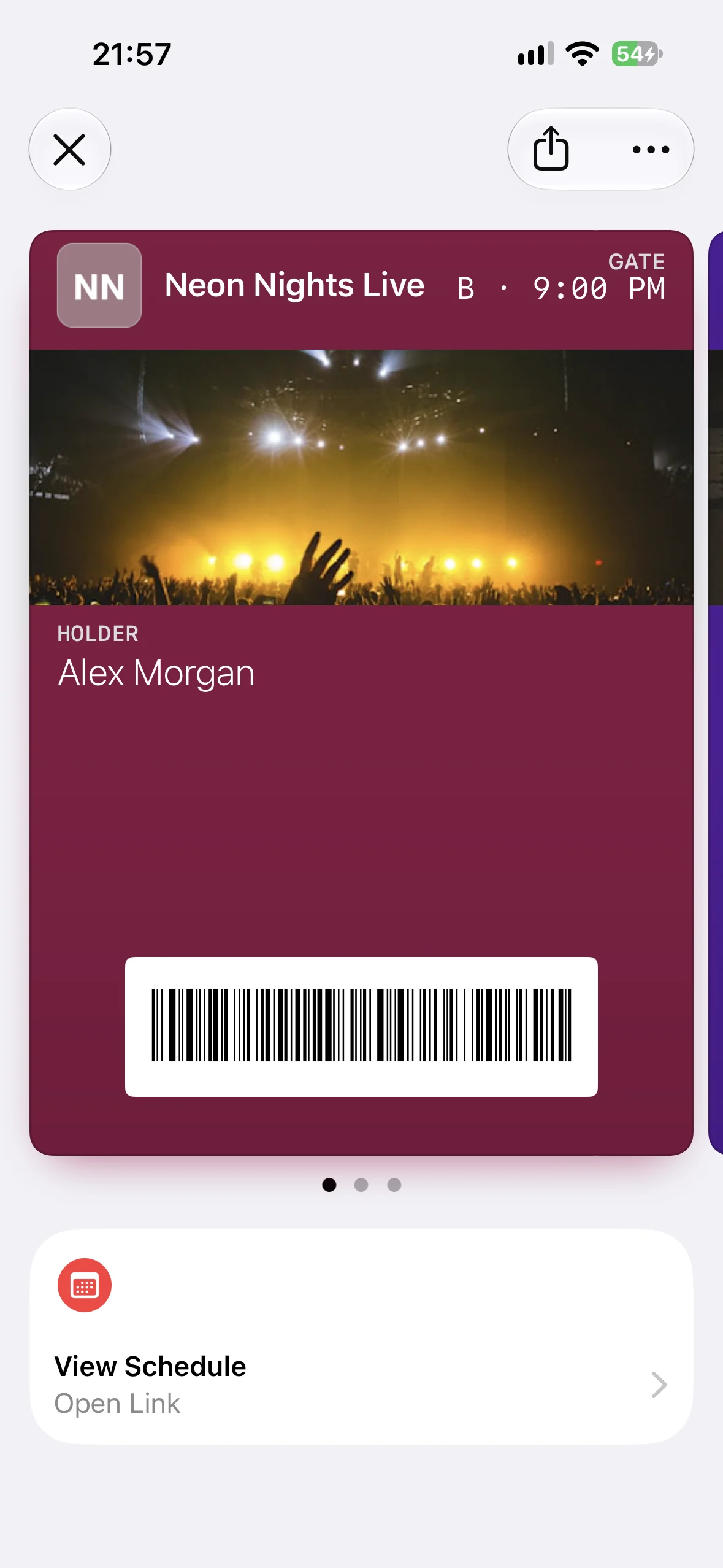
View Schedule opens a page containing an event schedule. It fits conferences, festivals, tournaments, multi-session workshops, and any ticket where the holder may need to check what happens next. A conference pass could link directly to the attendee’s personalized agenda rather than a generic event homepage.
Watch Trailer (watchTrailer)
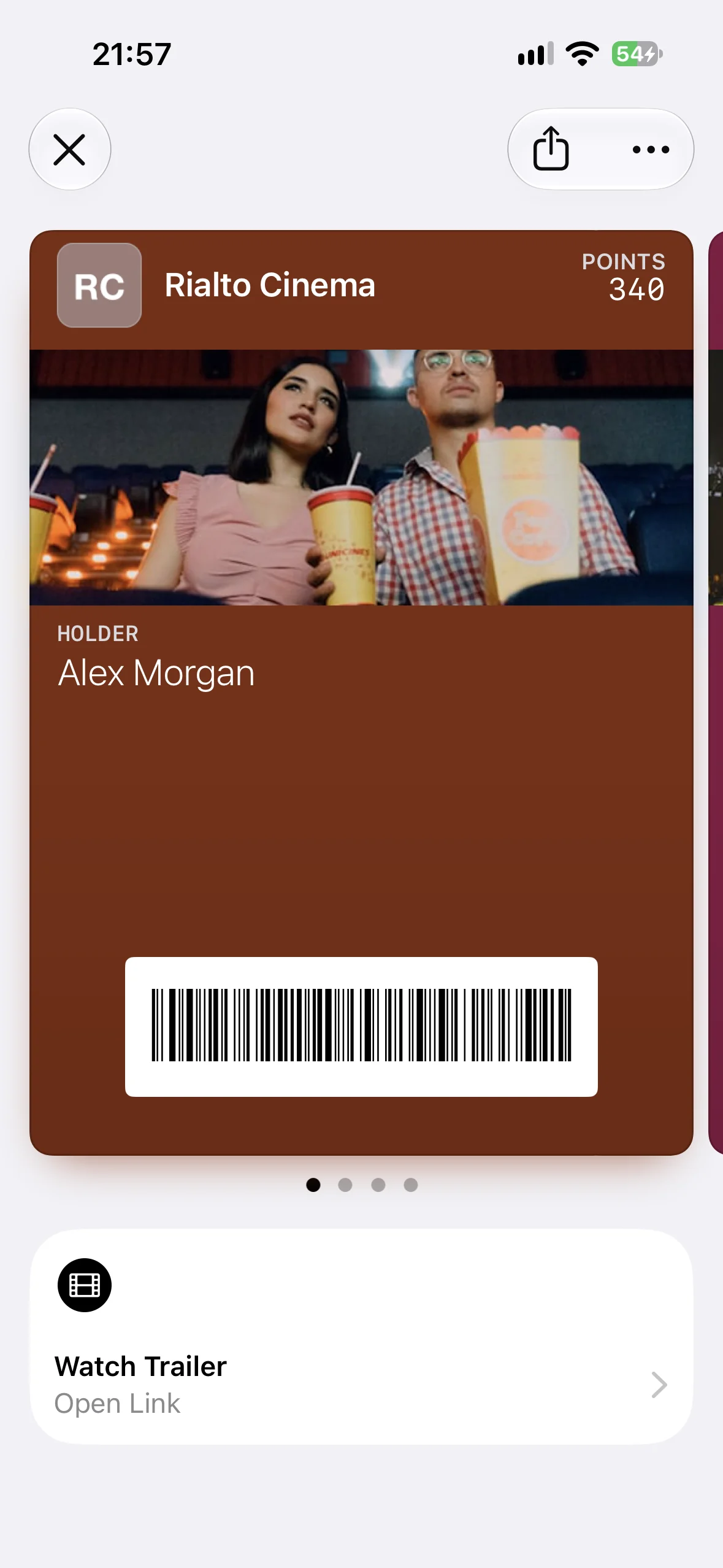
Watch Trailer opens a trailer for an upcoming event. The obvious use is a cinema or film-festival ticket, but it can also support theatre, exhibitions, or attractions with a short preview. Link to the trailer itself or to a focused landing page where the video is immediately available.
Listen to Music (listenToMusic)
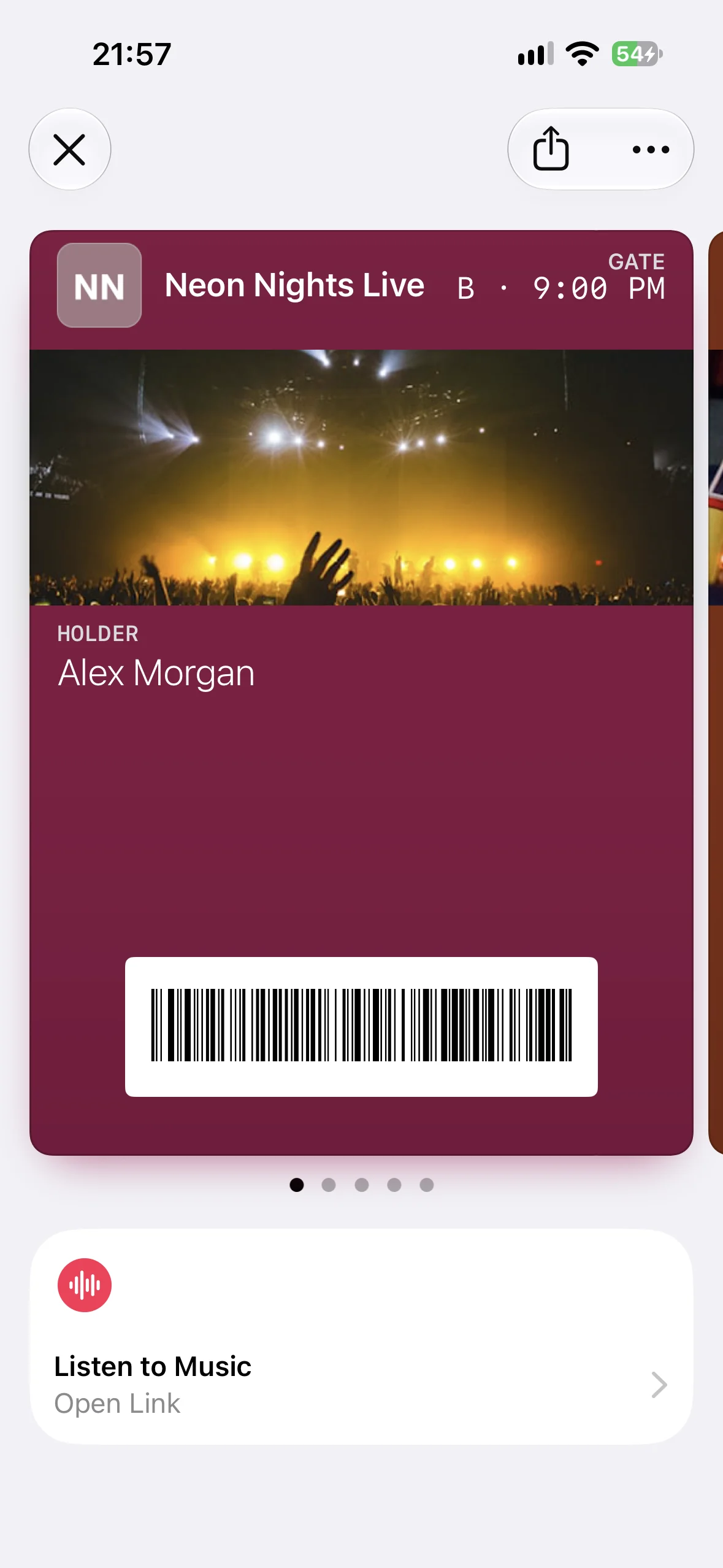
Listen to Music opens music associated with a live performance. A concert ticket could lead to the performer’s current album or an official tour playlist. A festival pass could use a playlist featuring the artists on that day’s lineup.
Call (call)
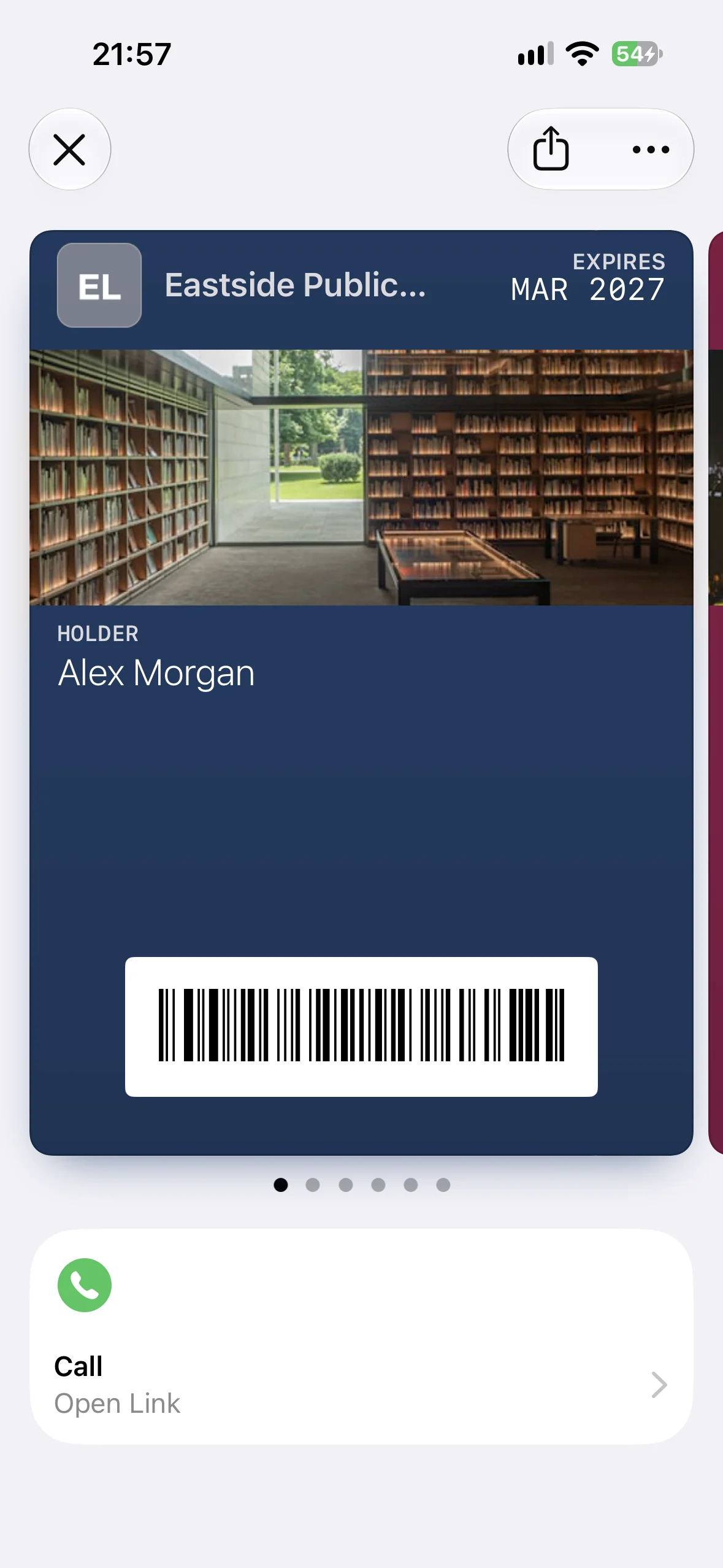
Call opens the Phone app with the supplied number. It works well for customer support, a hotel front desk, a concierge, or a venue help line. Use a tel: URL such as tel:+14085550123, and choose a number that is useful in the context where someone opens the pass.
Go to Location (place)
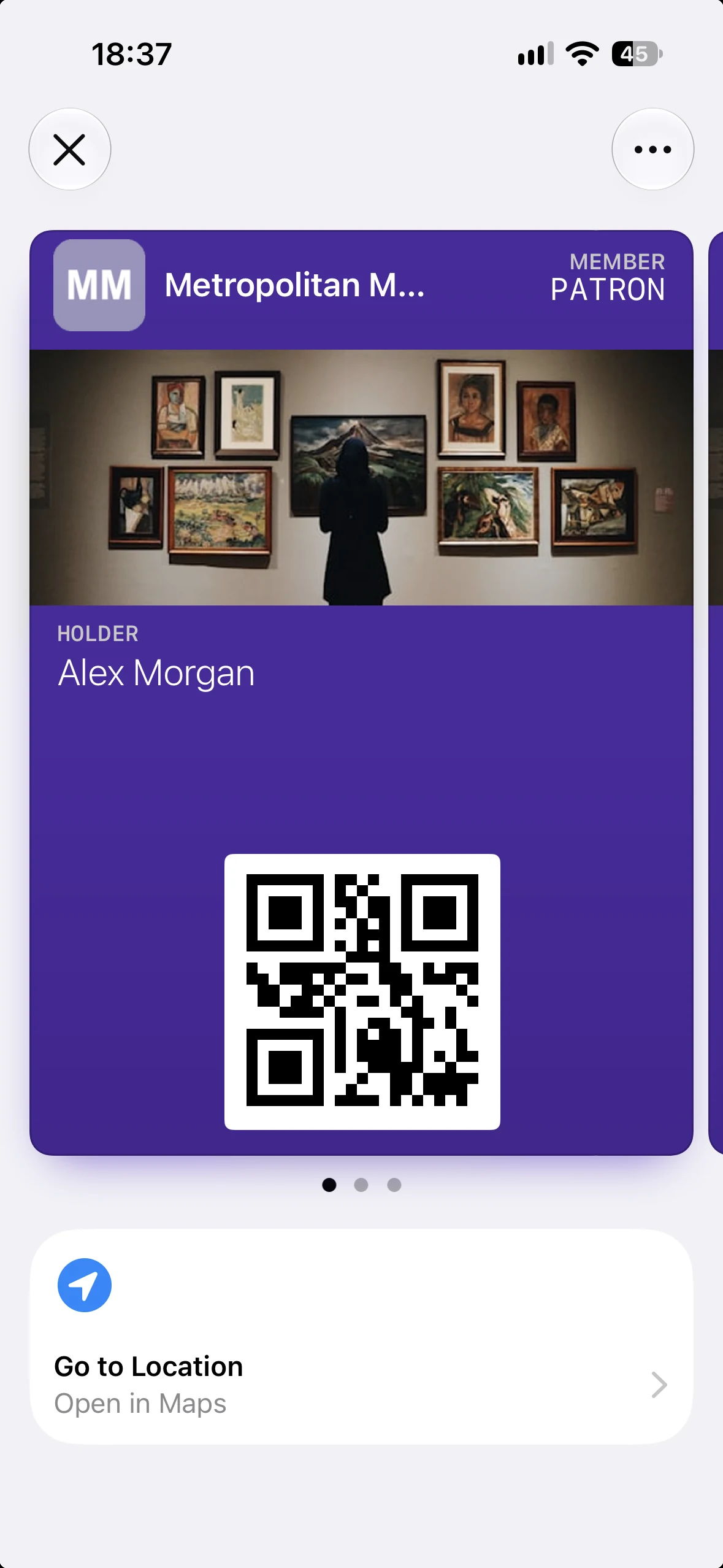
Go to Location opens one place in Maps, with the subtitle “Open in Maps” on the tile. Its intended uses include directions to a museum, gym, shop, venue, hotel, pickup point, or member facility. It is the one action that takes no URL: the action object carries placeIdentifier, an Apple Maps Place ID such as I7C250D2CDCB364A, and Wallet opens that place directly. Apple’s Place ID Lookup finds the ID for any venue on the map.
Add to Balance (addToBalance)
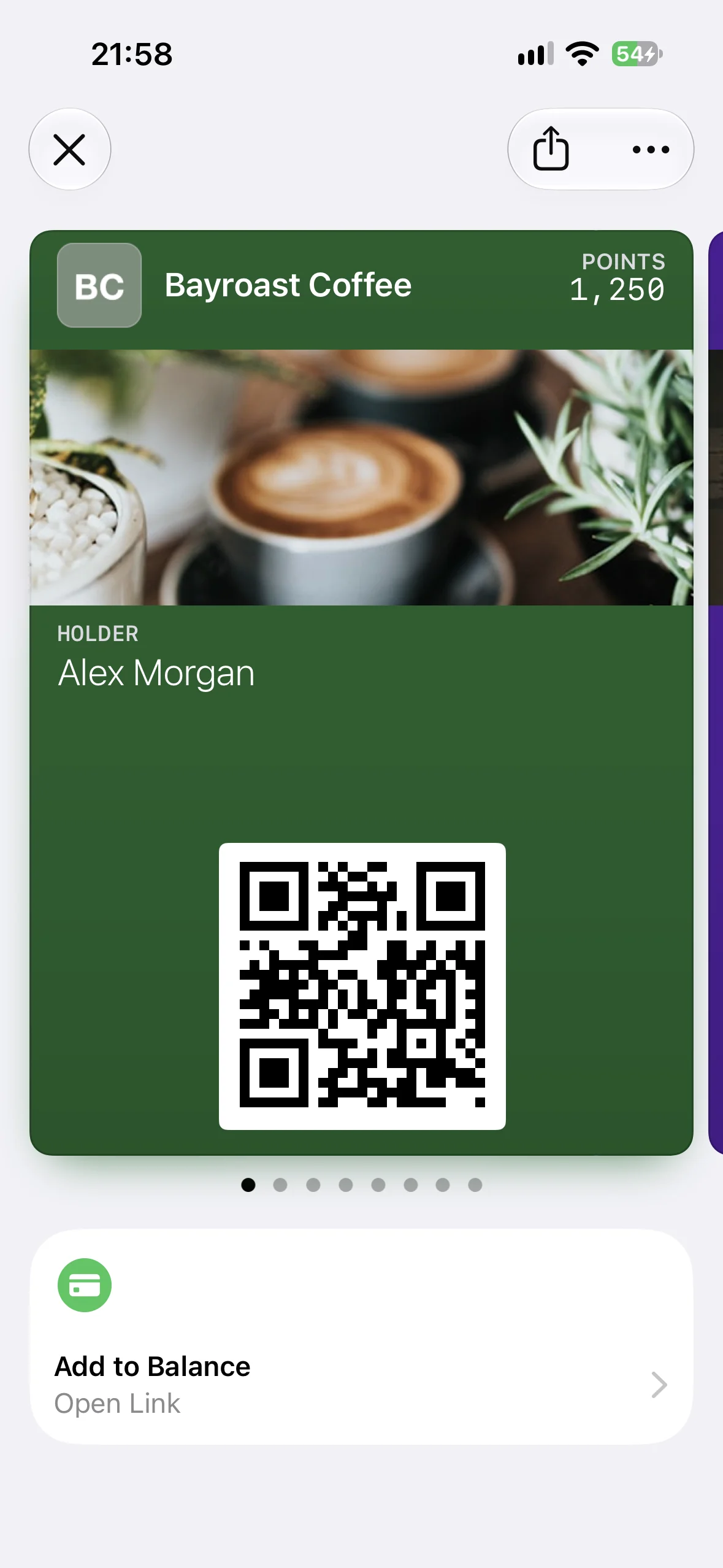
Add to Balance opens the flow used to load value onto an account or stored-value card. It suits gift cards, coffee cards, venue balances, and prepaid membership accounts. The destination should take the signed-in customer as close to the amount and payment step as your security model allows.
Order Delivery or Pickup (order)
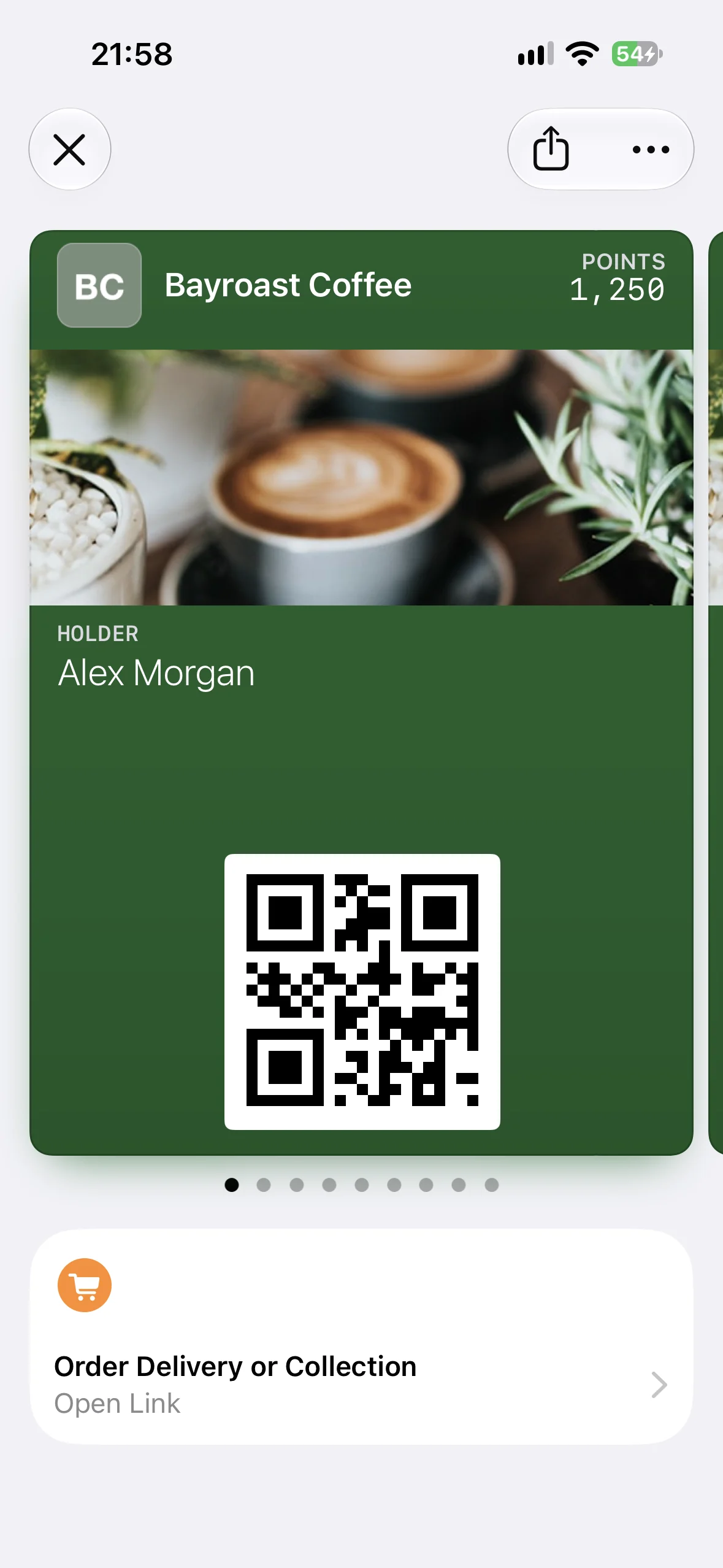
Order Delivery or Pickup opens an ordering flow. It is a natural companion to restaurant, cafe, grocery, and retail loyalty cards. A coffee pass might take a returning customer straight to order-ahead, while a restaurant card could open the nearest branch with the member already recognized.
Shop Online or In-App (shop)
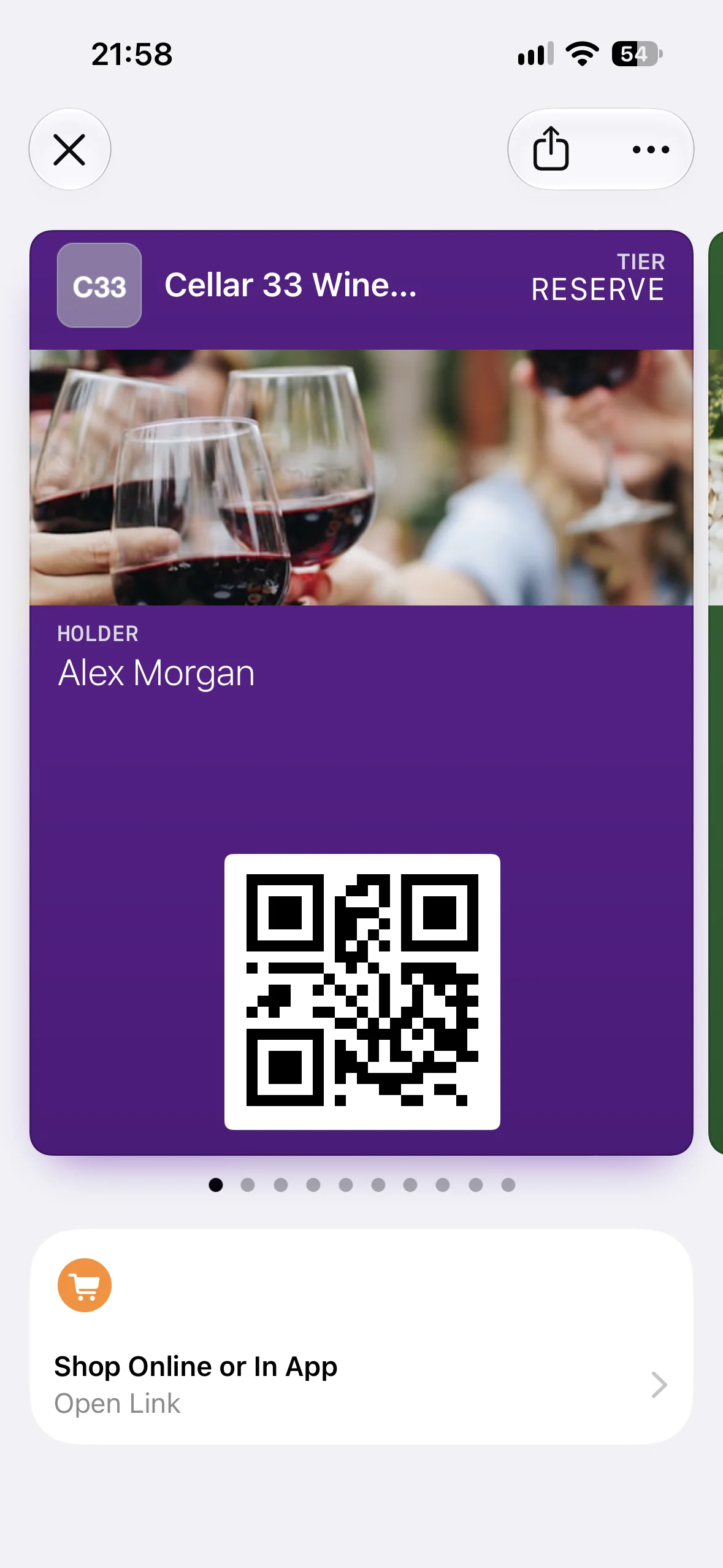
Shop Online or In-App leads to an ecommerce store on the web or in an associated app. It fits retail loyalty programs, brand memberships, and product subscriptions. Deep-linking to a member storefront or new collection makes the action more useful than pointing it at a broad corporate homepage.
View Membership Benefits (membershipBenefits)
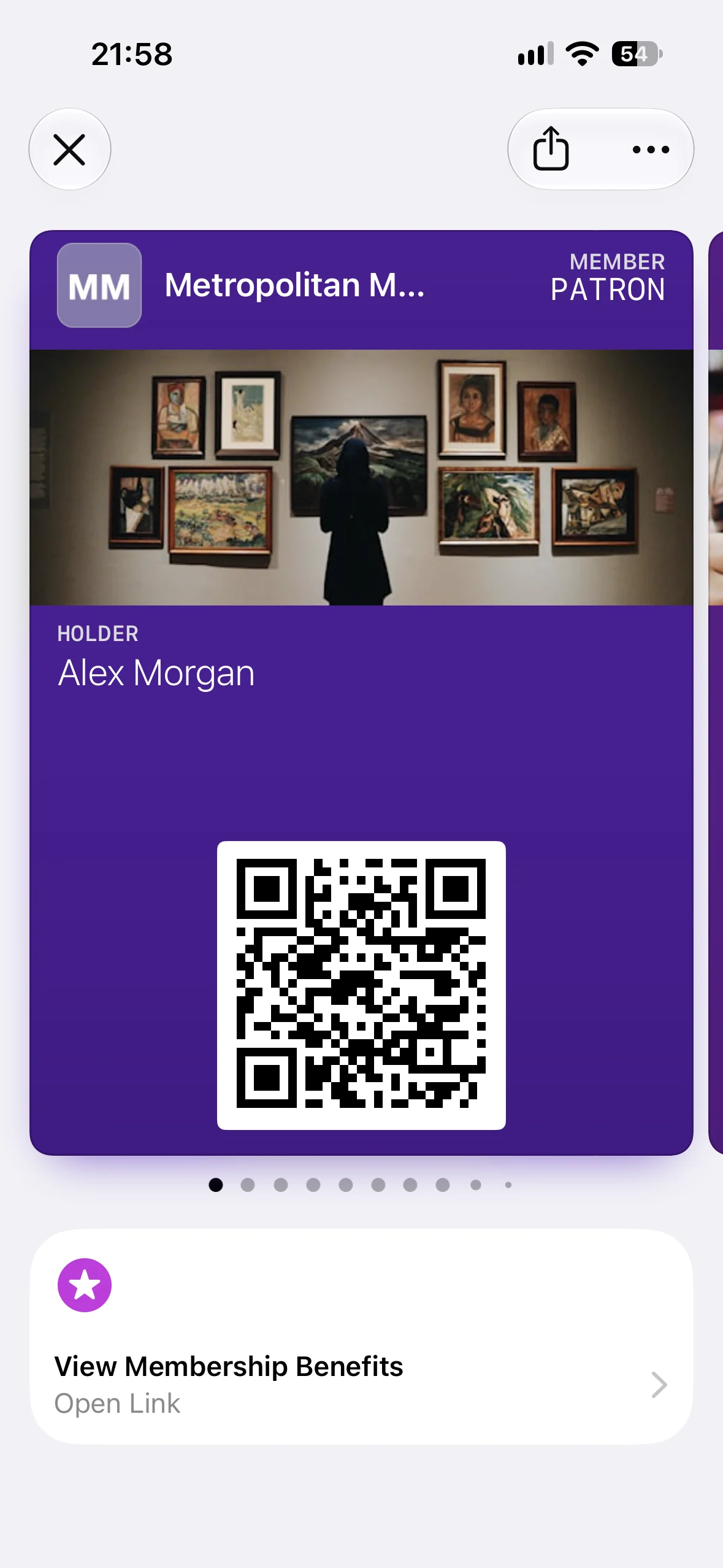
View Membership Benefits opens information about the holder’s benefits, points, or tier. It is the most broadly useful membership action for gyms, clubs, museums, associations, subscriptions, and loyalty programs. A personalized account page can show current status, available benefits, renewal information, and the next tier in one place.
Book an Appointment (bookAppointment)
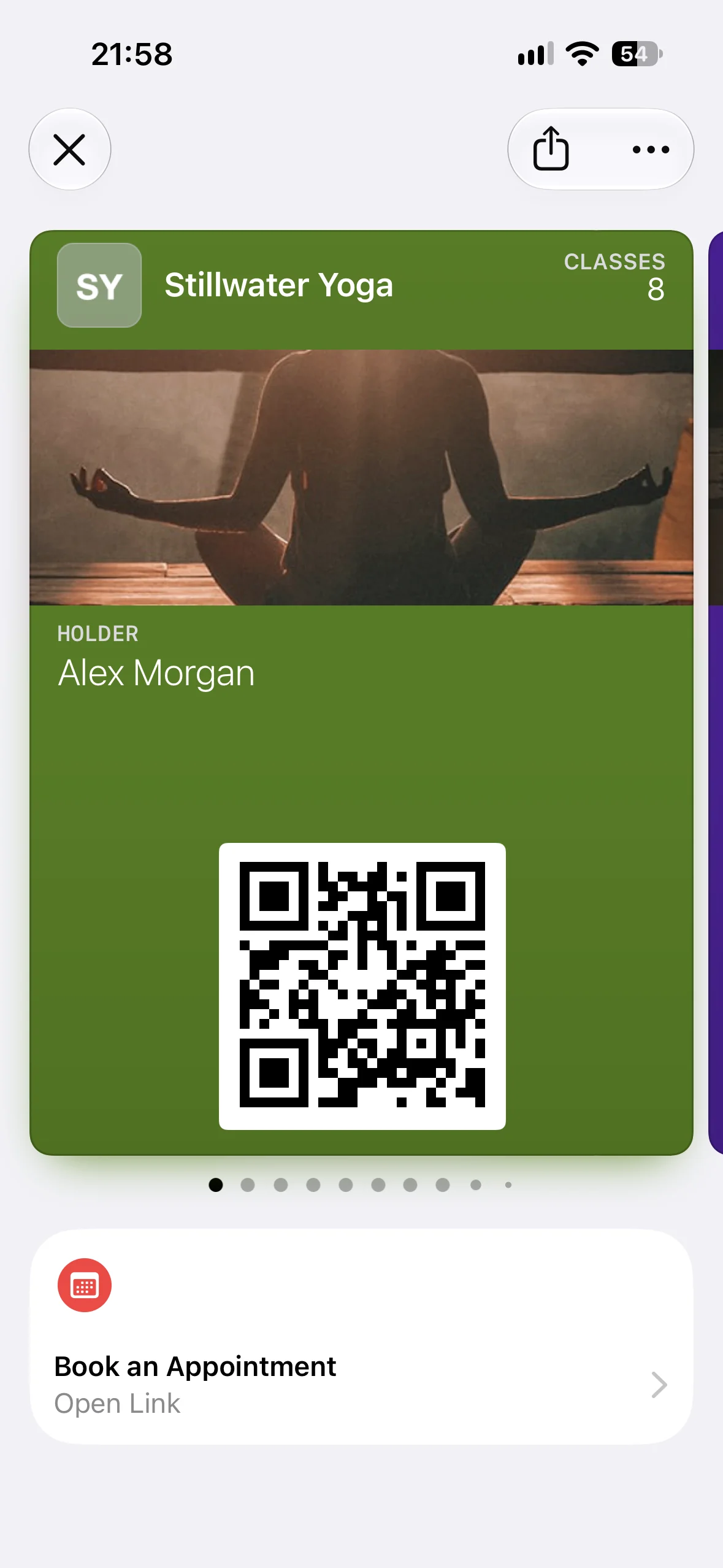
Book an Appointment opens a service schedule where the holder can reserve a time. Salons, clinics, gyms, tutors, repair services, and member clubs can use it to connect a persistent pass with the booking flow people return to most often.
Book a Car (bookCar)
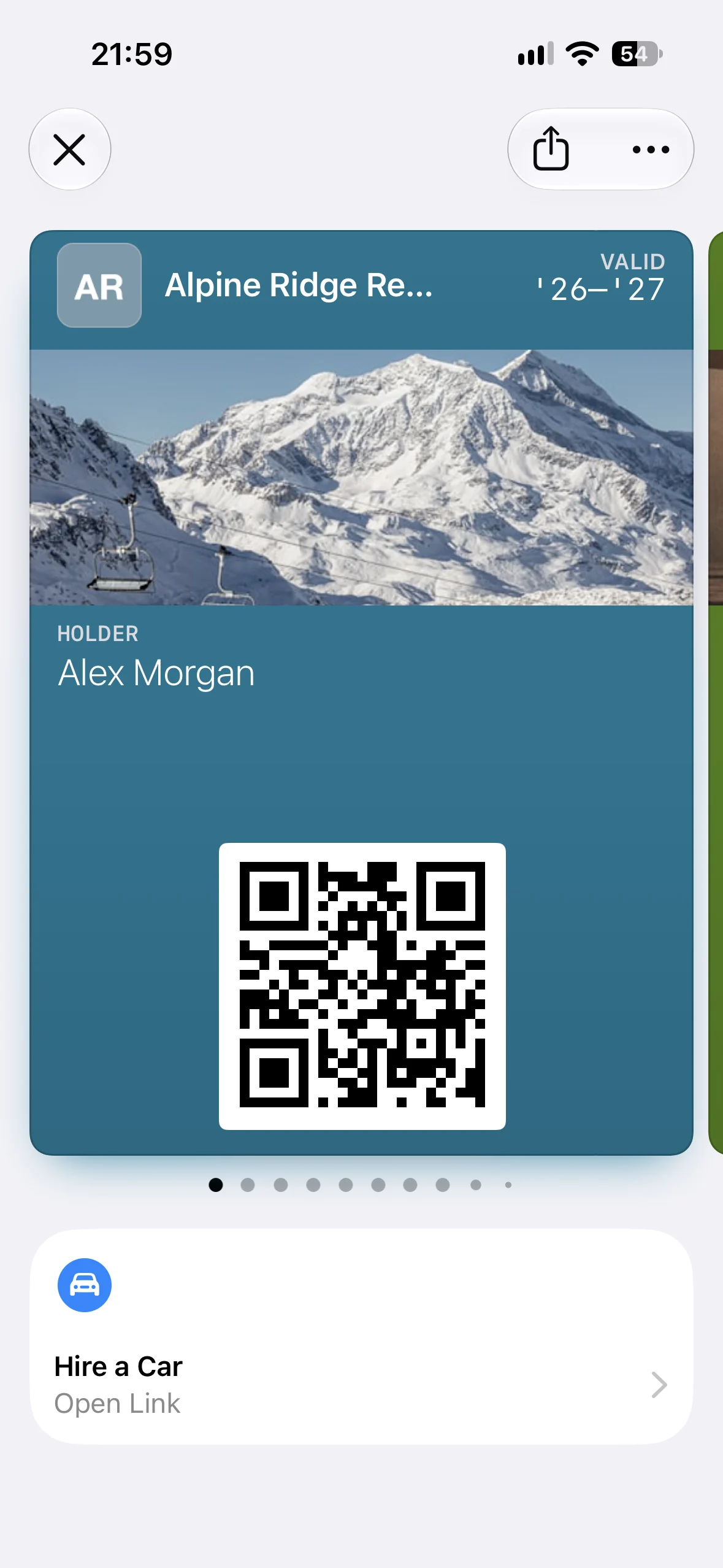
Book a Car opens a car-rental booking flow. It fits rental-company memberships, travel clubs, and loyalty passes. The destination can preserve the customer’s membership context, preferred pickup location, or negotiated rate when your website or app supports it.
Book a Flight (bookFlight)
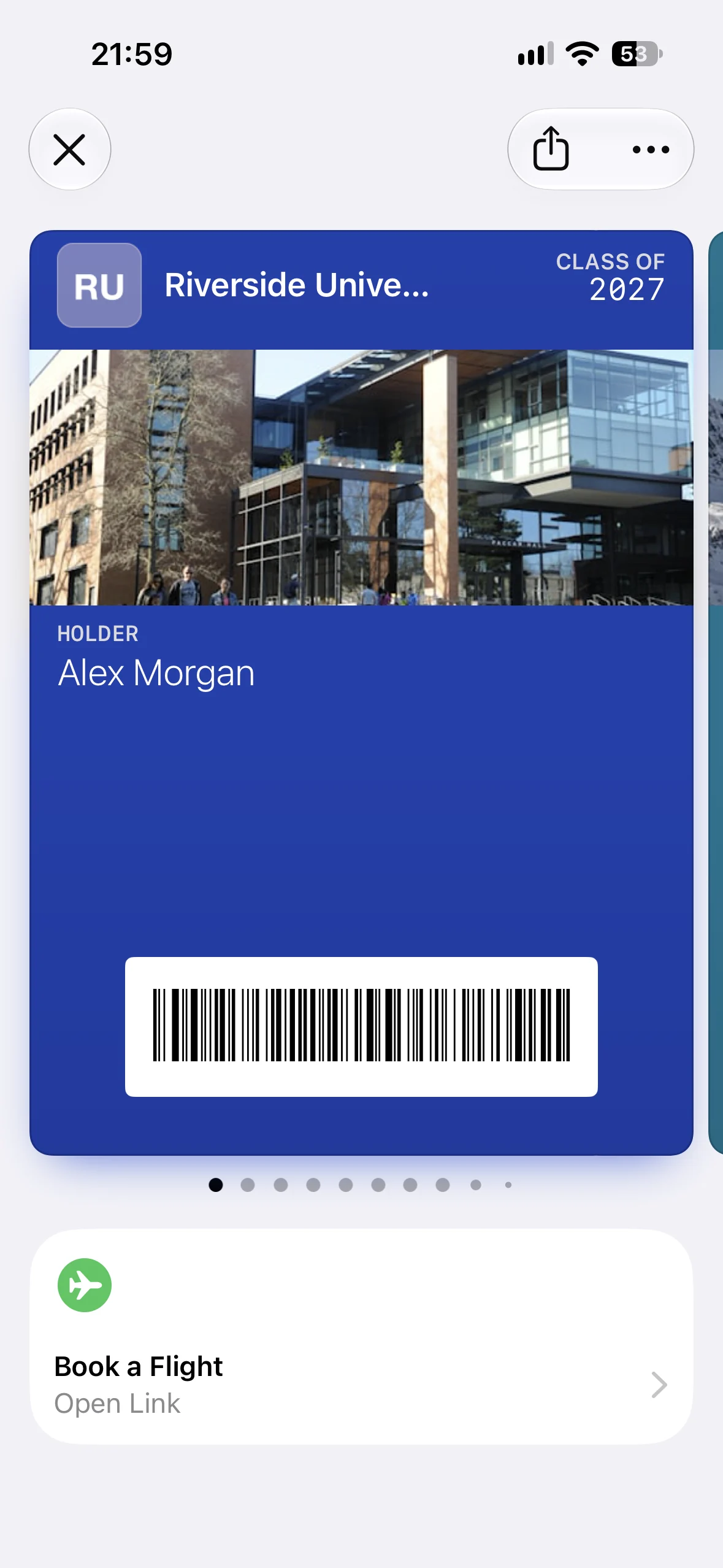
Book a Flight opens flight search or booking. It makes sense on airline loyalty and travel-membership passes rather than on a boarding pass for a flight that has already been purchased. A member-aware destination can apply loyalty details or route the customer to reward-seat availability.
Book a Stay (bookStay)
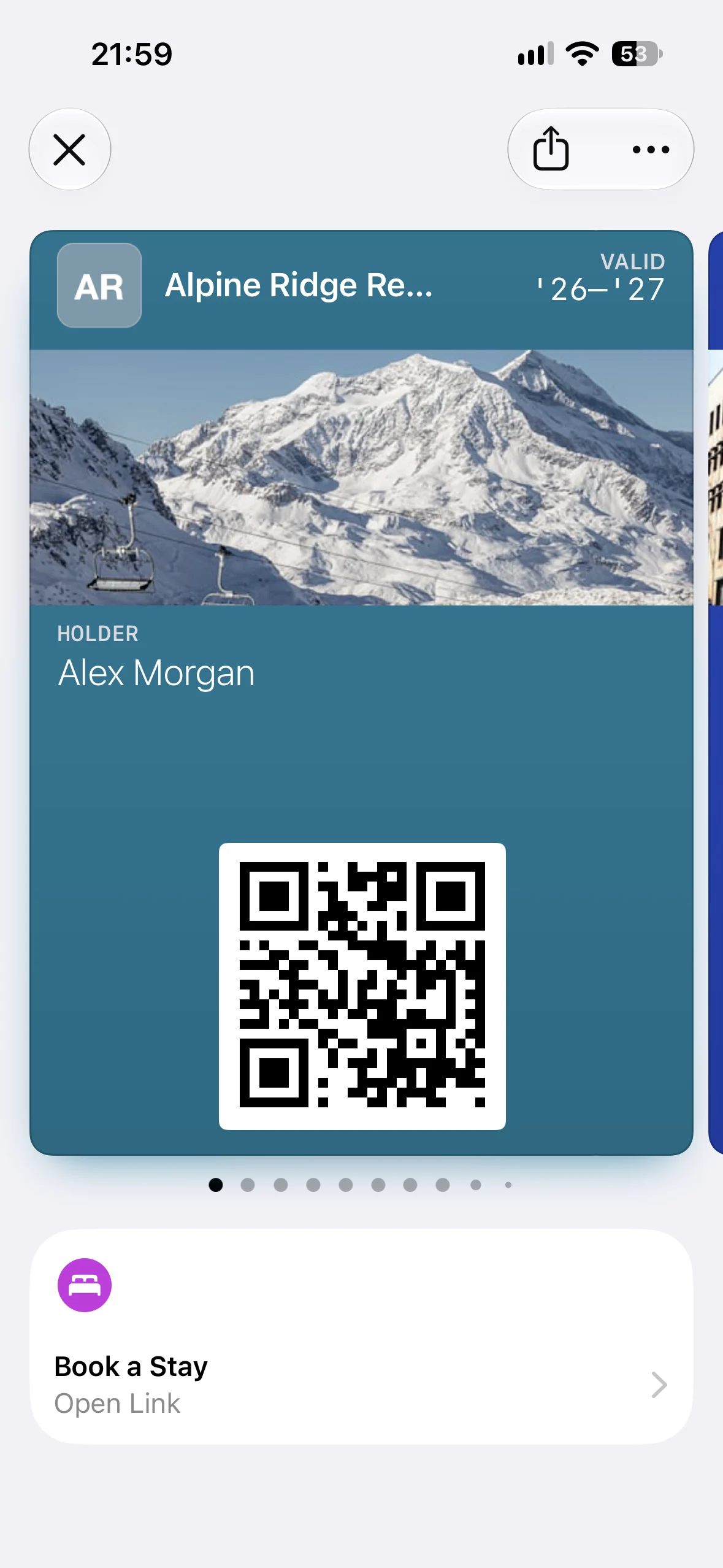
Book a Stay opens a hotel or hospitality booking flow. Hotel groups, resorts, travel clubs, and accommodation memberships can use it to make the next reservation accessible from a pass the guest already keeps in Wallet.
View Offers and Rewards (viewOffersRewards)
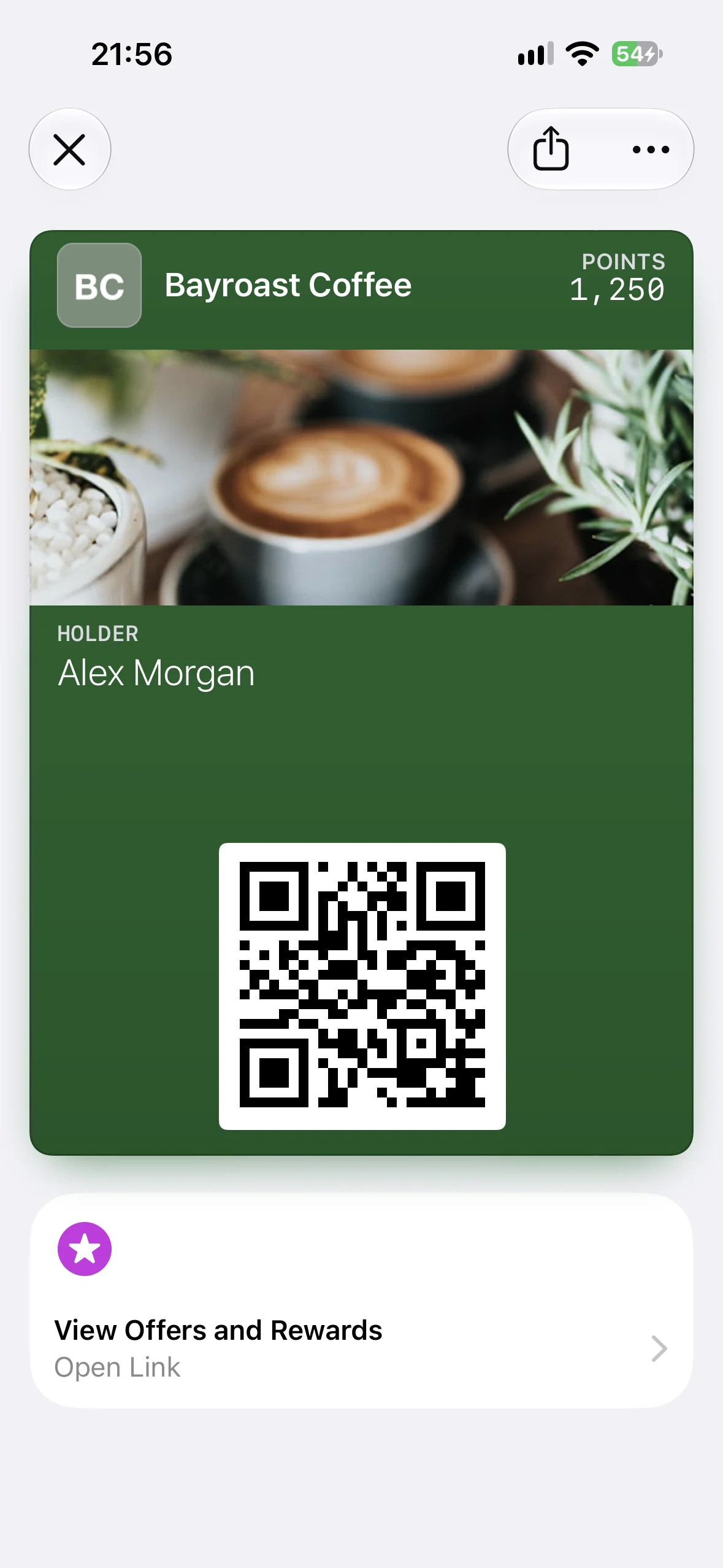
View Offers and Rewards opens offers or rewards associated with the pass. Apple recommends it across membership, generic, and event contexts, making it the most flexible promotional action in the list. A loyalty card can show redeemable rewards, a museum pass can surface a member offer, and an event ticket can link to attendee-only benefits.
How to add Featured Actions to an Apple Wallet pass
There are two layers to adding Featured Actions: describing them in the pass and operating the infrastructure that creates, signs, distributes, and updates that pass.
Add Featured Actions directly to pass.json
If you run your own PassKit infrastructure, add the featuredActions array to the top level of pass.json, alongside keys such as serialNumber, organizationName, and the pass style. Then rebuild the manifest, sign the pass bundle with your pass certificate, and distribute the new .pkpass.
Apple’s metadata documentation is the source of truth for the action catalog. Pass Designer can help you preview the pass, but a production program still needs signing, storage, distribution, a pass update web service, and push notifications.
Add Featured Actions with WalletWallet
Live in WalletWallet: add Featured Actions in the pass editor or with the
featuredActionsfield, on new passes or through aPUT /api/passes/<serial>update to passes customers already installed. How they work on both wallets.
WalletWallet will support all 14 Featured Action types in both the visual Pass Editor and the API. In the editor, you’ll be able to choose an action, add its destination, and preview the Apple tile before generating the pass. WalletWallet will validate the two-action limit, unique identifiers, and the destination format for each type.
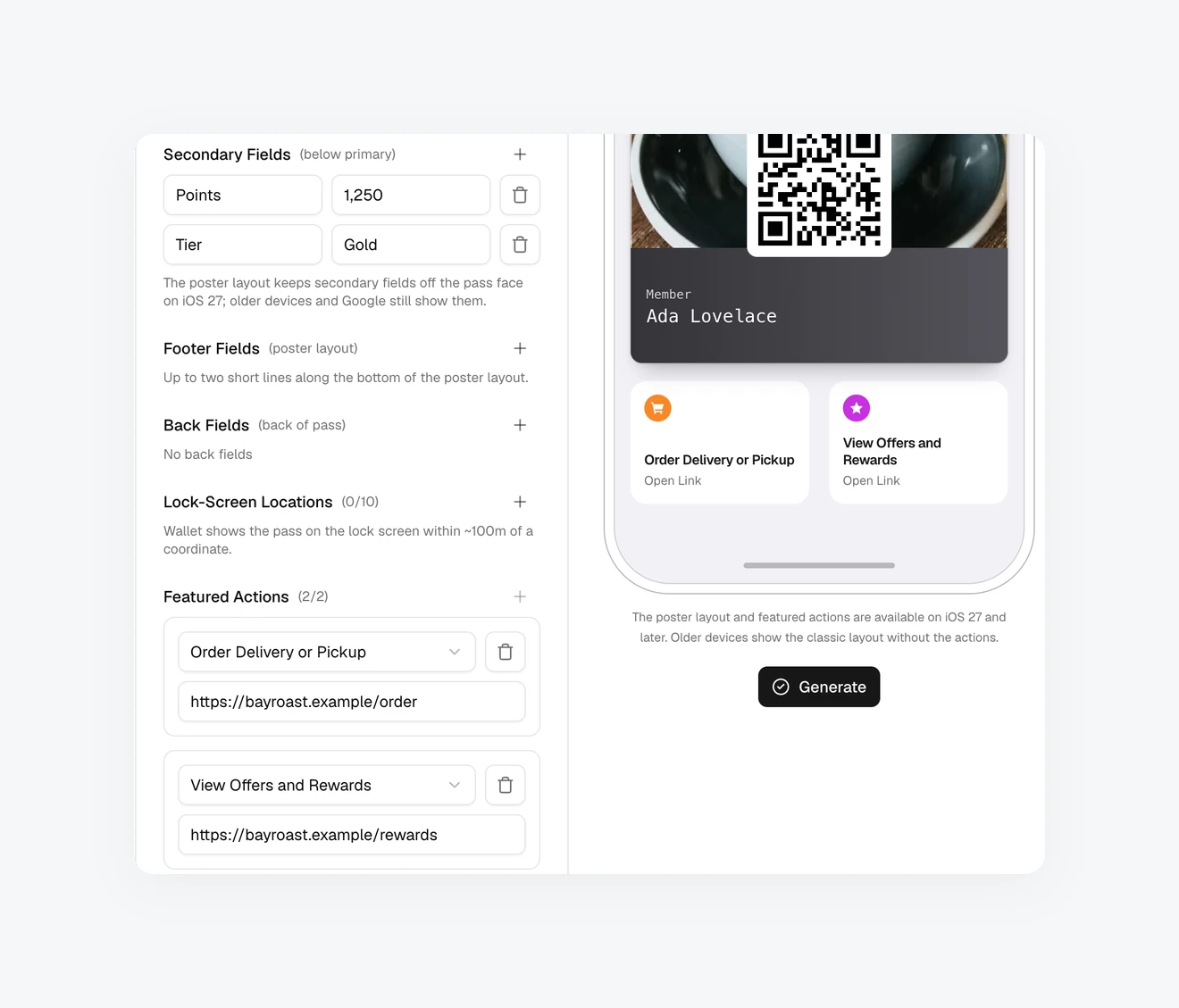
Add Featured Actions in the Pass Editor or include the field in the same API request as the rest of the pass:
{
  "title": "Museum membership",
  "barcodeValue": "MEMBER-123",
  "featuredActions": [
    {
      "identifier": "benefits",
      "type": "membershipBenefits",
      "url": "https://example.com/members/123"
    },
    {
      "identifier": "offers",
      "type": "viewOffersRewards",
      "url": "https://example.com/members/123/offers"
    }
  ]
}
The same field works when you create or update a pass. Add Featured Actions to a pass customers already installed by sending the full updated pass body with PUT /api/passes/<serial>. WalletWallet signs the new version and triggers the normal update flow, so customers keep the pass already in Wallet. See the API reference for the complete request.
How to choose the right two Featured Actions
The two positions should go to actions that are useful at the moment someone opens the pass. A permanent membership action may earn one slot, while the second can reflect the program, location, or current offer.
| Pass or program | Useful pair | Why |
|---|---|---|
| Paid membership | membershipBenefits + viewOffersRewards |
Status and benefits alongside current member value |
| Restaurant loyalty | order + viewOffersRewards |
Repeat ordering and a reason to return |
| Retail loyalty | shop + viewOffersRewards |
Shopping access alongside redeemable rewards |
| Gift or stored-value card | addToBalance + shop |
Reload the account or spend from it |
| Gym or salon membership | bookAppointment + membershipBenefits |
Reserve a time and review membership access |
| Conference or festival | viewSchedule + listenToMusic |
The live agenda and event-related content |
| Cinema or film festival | viewSchedule + watchTrailer |
Screening information and a preview |
| Museum or attraction | membershipBenefits + place |
Member details and directions |
| Airline loyalty | bookFlight + viewOffersRewards |
Start a booking and review loyalty value |
| Hotel membership | bookStay + viewOffersRewards |
Start a reservation and see member offers |
| Car-rental membership | bookCar + membershipBenefits |
Book while retaining membership context |
These are starting points, not combinations enforced by Apple. Your analytics and customer-support questions are better signals than filling both positions simply because two are available.
Add Featured Actions to passes customers already installed
An installed pass doesn’t need to be replaced when you add or change its Featured Actions. An updatable pass has a web service URL and authentication token embedded in it. The issuer sends a push, the phone requests a fresh signed pass, and Wallet replaces the installed copy in place.
WalletWallet handles that update loop. Add the new array through the usual PUT /api/passes/<serial> update, and every registered Apple device with that pass installed is prompted to refresh it. The customer keeps the same pass and doesn’t need a new Add to Wallet link, email, download, or QR scan.
This also lets the actions change over the life of the pass. A membership card might normally show benefits and rewards, switch one position to appointment booking during an enrollment period, and later return to its usual pair. The visible action names still come from Apple’s supported types, but their destinations and priority can evolve with the pass.
What happens on Google Wallet?
Google Wallet doesn’t present featuredActions as the same pair of tiles. Its closest counterpart is the links module, represented by linksModuleData and its uris array. WalletWallet maps each Featured Action to an entry in linksModuleData.uris, ahead of any link-shaped back fields, with up to ten entries in the combined list. One request can therefore retain the useful destinations across both platforms even though each wallet presents them differently.
Compatibility, limitations, and common mistakes
Adding more than two actions
Wallet accepts at most two Featured Actions per pass. Choose them in priority order rather than treating the field as a menu of every possible destination.
Using an unsupported type
Use one of the 14 published type values exactly as written. During our testing on an iPhone running the iOS 27 beta, a pass containing one known type and one unknown type displayed no Featured Actions at all. That is beta behavior rather than a documented compatibility guarantee, but it is a good reason to validate the entire array before issuing the pass.
One easy trap is viewMembership, a type shown in an early WWDC Pass Builder code sample. It didn’t render in our device test and doesn’t appear in Apple’s current published list; use membershipBenefits for the standard View Membership Benefits action.
Reusing an identifier
Each action needs an identifier unique within that pass. Treat it as a stable handle for the action rather than visible copy. WalletWallet preserves identifiers when you edit a pass and rejects duplicates at the API boundary.
Sending the wrong destination
Use a tel: URL for call and a public web destination for the other types. Match the landing page to the promise made by the action title, and avoid making the cardholder navigate again to find the schedule, offer, booking flow, or location they tapped for.
Expecting the tiles on iOS 26
iOS 26 and earlier don’t display the new top-level Featured Actions. They ignore the field and keep showing the rest of a compatible pass, so you don’t need a separate Add to Wallet link for older devices.
Treating Featured Actions as a Poster Generic feature
Apple introduced Featured Actions alongside Poster Generic, but the two are independent. You can use Featured Actions with all pass styles on iOS 27.
Planning custom button copy
The predefined action type determines the standard Wallet presentation. Choose the closest accurate action instead of relying on custom marketing wording that the pass data doesn’t provide.
Frequently asked questions
Can every Apple Wallet pass use Featured Actions?
The iOS 27 API makes Featured Actions available to all pass styles. Apple recommends particular actions for event, generic, and membership contexts, but Featured Actions aren’t limited to Poster Generic passes.
How many Featured Actions can a pass contain?
A pass can contain up to two. Supply them in priority order in the featuredActions array.
Can I customize the icon or button label?
The 14 predefined types have standard presentations in Wallet. Your pass supplies the action type and destination rather than arbitrary visible button copy, so select the type whose meaning accurately matches the destination.
Do Featured Actions work on iOS 26?
No. iOS 26 and earlier ignore the featuredActions field, while the rest of a backward-compatible pass continues to work normally.
Are Featured Actions exclusive to Poster Generic passes?
No. Poster Generic and Featured Actions were announced together, but Featured Actions work across pass styles on iOS 27.
Can I add Featured Actions to a pass that is already installed?
Yes, if the pass supports updates. The issuer sends an updated signed pass through the normal PassKit web-service and push flow. WalletWallet manages that flow for passes issued through its service.
Does the customer need to add the pass again?
No. When an installed pass is registered for updates, Wallet refreshes it in place. Customers who removed the pass or disabled its access can’t receive the update until they add it again.
Can I change the actions later?
Yes. An update can replace, reorder, or remove Featured Actions. Their identifiers should remain stable when the underlying action remains the same.
Can I create a custom Featured Action type?
Use one of Apple’s 14 published types. Unknown types aren’t safe fallbacks and can prevent the actions from appearing.
What is the difference between Featured Actions and links in Pass Details?
Featured Actions appear immediately beneath the open pass. Links stored in back fields appear after the cardholder opens Pass Details, making them more suitable for supporting information than primary next steps.
Do Featured Actions work on Google Wallet?
Google Wallet doesn’t have the identical Apple tile presentation. WalletWallet maps the same destinations to linksModuleData.uris, which Google Wallet renders as link buttons in the pass details. See the Google Wallet links module for the JSON structure.
Create a pass with Featured Actions
Build and issue your pass in WalletWallet with up to two Featured Actions in the editor or API. WalletWallet handles Apple signing, the update web service, push delivery, and Google Wallet mapping, while your customers keep the pass they already added.
Sources
- Defining the metadata of your Wallet pass, Apple Developer Documentation
- What’s new in Wallet, WWDC 2026 session 209, Apple Developer
- What’s new in Apple Wallet, Apple Developer
- Wallet Human Interface Guidelines, Apple Developer
The iOS 27 screenshots are ours, captured from test passes generated with WalletWallet; the Go to Location capture is from a pass carrying an Apple Maps Place ID. The social preview image uses Apple-provided imagery, © Apple.
Build, distribute, and notify in under five minutes
Design your passes, hand them out, and send push notifications to Apple Wallet and Google Wallet. By API, from the dashboard, or through an AI assistant.