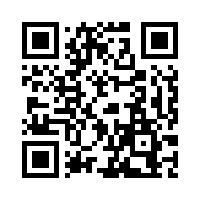
Membership signup at the front desk
A QR code on the counter. A new member fills in their name and email and the card is in their wallet before they leave, with a member number from the form.
Forms
Design the form and the pass together, share one link or QR code, and each person who fills it in gets a pass with their answers on it. No spreadsheet and no code.
Join Harbourside Sailing Club
Sign up and your member card lands in your wallet.
Full name
Membership
A bar put its custom domain, a signup form, and a teammate live on its first day.
Anywhere you would hand out a card, a form hands it out for you.
A QR code on the counter. A new member fills in their name and email and the card is in their wallet before they leave, with a member number from the form.
Name, email, and a ticket type from a dropdown. Each registration is a ticket with its own check-in code, and the guest list is the responses tab.
A customer scans the code at checkout, types their name, and gets the card. Points move later from the API or Pass Manager.
A short form behind a link you send to a chosen few. Each one gets a pass that names them, and a Campaign reaches all of them at once.
A title, a line of intro, and up to 12 fields: text, email, phone, number, date, or a dropdown. Mark each one required or optional, and add a terms link if you need consent.
Each field label is a {{token}} you drop into the pass, and {{Code}} is a unique code per submission for the barcode. The preview shows the pass with sample answers.
Publish, then send the link, print its QR code, or paste the embed snippet into your site. Add ?src=flyer or ?src=counter to a link and the form remembers where each signup came from.
The overview shows signups today against the daily cap, the last 30 days, and the top sources. Responses list every answer, with a CSV download, and each pass is in Pass Manager.
What the first accounts on Forms did.
Tag every link with ?src=: one for the flyer, one for Instagram, one for the counter. The overview shows which one brings the signups.
Accounts using the form overview
Embed the form on your own site and run it with a small group first. The passes it issues are real, so test with people who should keep theirs.
A travel subscription startup
Put the custom domain live before you publish the form, so the link and the pass page both carry your name from the first signup.
A bar
Text, email, phone, number, date, and dropdown, up to 12 fields per form. One email field at most, so one person gets one pass.
{{Full name}} in a field, {{Code}} in the barcode. The pass template is the same editor as everywhere else, with the form's labels as tokens.
Every submission passes a bot check, and a form issues at most 500 passes a day by default, up to 10,000. Visitors are never tracked.
One link to send, a QR code to print, and an iframe snippet for your site. On Business the link runs on your own domain.
?src= on any link names where a signup came from. The overview lists the top sources and the hosts the form was embedded on.
A paused form shows a closed page until you resume it. Delete the form and the passes it issued stay.
Every submission with its answers, newest first, with a CSV download and a delete per row.
Filter Pass Manager by the form to see its passes, edit one, or send the whole group a Campaign.
Submitting opens the pass's share page, with the right wallet button for the phone in hand.
Something else? Write to us from the chat in the dashboard, or at hello@walletwallet.dev.
No. They open the link, fill in the form, and tap Add to Wallet on the page that follows. Apple Wallet and Google Wallet are built into their phone.
Yes. The form page gives you an iframe snippet to paste into any site, and the form submits into the top window so the pass page opens as the page itself. On Business the form runs on your own domain.
Every submission passes a bot check, a form has a daily cap you set, and a form can carry one email field at most. Pause the form at any time and visitors see a closed page until you resume it.
Yes. Every pass from a form is a normal pass. Open it from Pass Manager, filtered by the form, and edit or revoke it like any other.
They keep working. Deleting a form removes the form and its responses, and the passes it issued stay in your account and on phones.
Free under 1,000 passes a month. $39 flat above that, with a 7-day trial on every new account.