
A link in the welcome email
The batch CSV and the API both give you the link per pass. Mail merge it, and each member opens their own page and adds the card in two taps.
Share pages
Every pass has a hosted page that opens the right wallet for whoever taps it, and the link stays the same through every update. Put your logo and colors on it, and serve it from your own domain.
A school added 13 installs in one day from people opening their link, with no API calls at all.
The same page works from an email, a printed code, or a button in your own product.
The batch CSV and the API both give you the link per pass. Mail merge it, and each member opens their own page and adds the card in two taps.
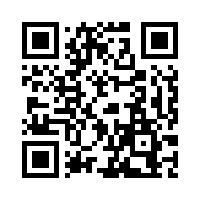
Print the QR of a pass or a signup form at the till, the front desk, or the door. A scan opens the page in the right wallet for that phone.
Link the Add to Wallet button to the share page, or send the Apple file to iPhones and the Google link to Android yourself. The API returns all three.
The page reads the phone's language and shows English, Français, Español, Deutsch, Italiano, or Slovenčina, with a picker to switch.
Every pass comes back with its share link. Put it in an email, an SMS, a QR code, or a button in your app. The page shows the Apple Wallet button on an iPhone, the Google Wallet button on Android, and a QR code on a desktop.
Your logo, brand name, page and card colors, the headline, and a footer line with a link. The preview shows the page in each language as you edit.
Point one CNAME at WalletWallet and every share link moves to your subdomain, with the certificate issued for you. Links already sent keep working.
How customers hand out their passes.
The platform sends the Apple file to iPhones, the Google link to Android, and the share page to desktop, so nobody sees the wrong button.
A bubble tea loyalty platform
One discount card sits on 719 devices. Members add it by scanning a single QR code at the venue.
A members venue
The share link never changes. Update the pass by its serial and the card changes on the phone, with no new link to send.
A golf club
Apple Wallet on an iPhone, Google Wallet on Android, both plus a QR code on a desktop so the visitor opens the page on their phone.
The page follows the phone's language and offers a picker. Your own headline and footer are shown as you wrote them.
The link stays the same through every update, and after a revoke it says the pass is no longer valid instead of offering it.
Page background, card background, text color, logo, brand name, headline, footer text and link, and a favicon, on Business.
One CNAME to pass.walletwallet.dev. The certificate is issued for you, and the page shows the domain as Pending, Active, or Blocked while it sets up.
Share pages are hidden from search engines, and the Apple Wallet share button is off unless you turn it on for a pass.
A signup form lives on the same host and lands on the pass's share page when it is submitted.
Every create returns shareUrl, the signed .pkpass, and googleSaveUrl. Share a pass in the docs.
A downgrade moves links back to pass.walletwallet.dev and keeps your branding and domain saved. An upgrade restores them without a new CNAME.
Something else? Write to us from the chat in the dashboard, or at hello@walletwallet.dev.
No. Apple Wallet and Google Wallet are built into every iPhone and Android phone. The page shows the button for the wallet the phone has, and one tap adds the pass.
The page shows both wallet buttons and a QR code of itself. Scanning the code with a phone opens the same page there, in the right wallet.
Yes, on Business. Add a CNAME from a subdomain you own, such as passes.yourbrand.com, to pass.walletwallet.dev. The certificate is issued for you, and every share link moves to your domain once it is active.
A note that the pass is no longer valid, in the visitor's language, instead of the wallet buttons. The link itself keeps working, so an old email does not lead to a dead page.
On Business the page carries your logo, brand name, colors, headline, and footer, on your own domain. The default page on Free and Pro shows your pass with a small Passes by WalletWallet line at the bottom.
Free under 1,000 passes a month. $39 flat above that, with a 7-day trial on every new account.