Text Message Coupons vs Apple and Google Wallet Coupons
How SMS coupons work, what an Apple Wallet or Google Wallet coupon does differently, and when to use each, with 8 coupon text message examples paired with the Wallet coupon they deliver.
A text message coupon reaches a phone within seconds but disappears into the message thread. A Wallet coupon sits in Apple Wallet or Google Wallet until it’s used, can change after you send it, and comes up on the lock screen near your store. Many businesses use both: one text delivers a link to the Wallet coupon, and the coupon does the rest.
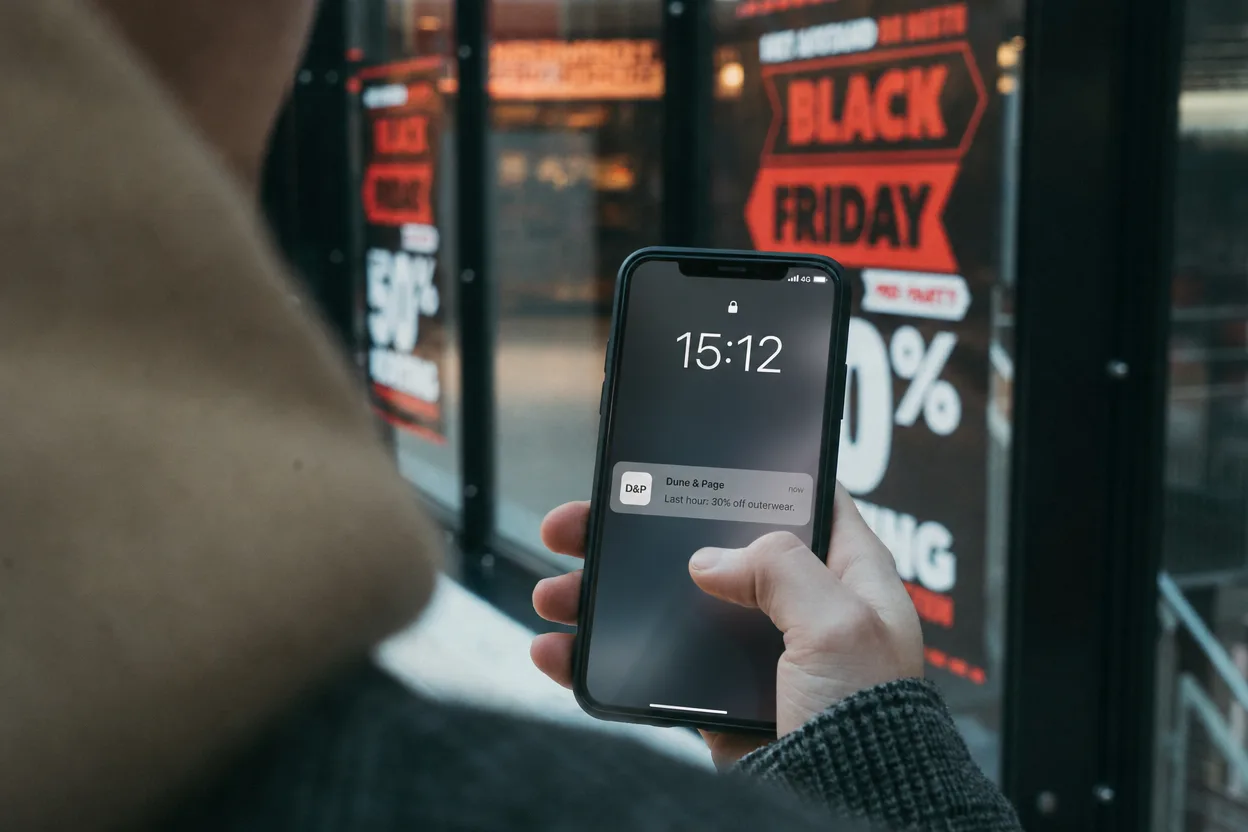
How text message coupons work
- Opt-in. Customers join by texting a keyword to your number or ticking a box at checkout. In the US, marketing texts need the recipient’s prior express written consent under the TCPA, and every message needs a way to opt out, usually “Reply STOP”.
- Sending. Business texting in the US runs over a registered short code or a 10DLC local number, set up through your SMS provider.
- The coupon. A code in the text (“SAVE10”), a link to a coupon page, or both. A single SMS segment holds 160 standard characters; longer messages are billed as several segments.
- Cost. Providers charge per message segment, so every send and every reminder costs money.
- Redemption. The customer shows the text or types the code at checkout.
How a Wallet coupon works
A Wallet coupon is a pass with the offer on a strip image, a unique barcode, and an expiry. With WalletWallet, each step is a Pass Manager action or one API call:
| Step | Pass Manager | API |
|---|---|---|
| Design the coupon | Pass Editor: strip image with the offer, QR or barcode | POST /api/passes with stripURL, barcodeValue, barcodeFormat |
| One code per customer | Batch import a CSV of customers and codes | One POST per customer |
| Set the expiry | Set it when creating the batch | expirationDays: 7 expires it on both wallets |
| Change the offer | Edit the offer and save; the lock screen shows it | PUT /api/passes/<serial> with changeMessage: "%@" on the offer field |
| Surface it near the store | Add the store address | locations, up to 10 |
| Redeem at the till | Scan the code with your POS, then revoke the coupon | DELETE /api/passes/<serial>; it greys out and stops scanning |
expirationDays counts from the moment the coupon is created or updated, so when
you change the offer, send the days remaining to keep the same end date.
Side by side
| Text message coupon | Wallet coupon | |
|---|---|---|
| Delivery | Text to opted-in numbers | A link (by text, email, receipt, or QR) the customer taps to add |
| Where it lives | The message thread | Apple Wallet or Google Wallet, until used or expired |
| At the till | Show the text or type the code | Scan the barcode |
| Change it after sending | Send another text | Update the coupon already on the phone |
| Reminder near the store | No | Lock screen, near up to 10 locations |
| Single use | Shared codes are easy to forward | Unique code per customer, revoked on use |
| Cost per reminder | A message fee each time | Included in a flat plan |
| Notification limits | Your provider’s rate limits | Google allows 3 notifying updates per pass a day |
A text reaches every opted-in customer without a tap, and a Wallet coupon does more once it’s delivered: it stays on the phone, updates, and reminds the customer near the store.
Use both: deliver the Wallet coupon by text
Send one text with the coupon’s link. The link opens a page that shows Add to Apple Wallet on iPhone and Save to Google Wallet on Android. After that, reminders, changed offers, and the expiry happen on the coupon itself, without another message fee.
8 coupon text message examples, with the Wallet coupon they deliver
Each text stays under 160 characters with a short link and the opt-out. The Wallet coupon lists what goes on the pass and the lock-screen update you might send later.
1. Welcome offer
Bayroast: welcome! Here’s 20% off your first order, valid 14 days: [link] Reply STOP to opt out
Wallet coupon: strip “20% off your first order”, expirationDays: 14, one code per
customer. Later update: “Your welcome offer ends Sunday.”
2. Slow-day offer
Tues only at Rialto Cinema: 2-for-1 on evening shows. Add to your wallet: [link] Reply STOP to opt out
Wallet coupon: strip “2-for-1 evening shows”, store location added so it surfaces near the cinema. Later update: “Tonight’s shows: 7:10 and 9:30.”
3. Birthday coupon
Happy birthday from Juniper Yoga! A free class is waiting in your wallet this month: [link] Reply STOP to opt out
Wallet coupon: strip “Free birthday class”, expirationDays: 30, revoked when
redeemed.
4. Win-back offer
We miss you at Verano Wine Bar. Your next tasting flight is half price: [link] Reply STOP to opt out
Wallet coupon: strip “Half-price tasting flight”, expirationDays: 21. Later
update: “One week left on your tasting offer.”
5. Flash sale
3 hours only: 30% off all outerwear at Dune & Page, in store. Coupon: [link] Reply STOP to opt out
Wallet coupon: strip “30% off outerwear”, expirationDays: 1. Later update: “Last
hour: 30% off outerwear.”
6. Referral reward
Thanks for sending a friend! Your $10 credit is in your wallet: [link] Reply STOP to opt out
Wallet coupon: strip “$10 credit”, unique code, revoked on use.
7. Event night
Thursday trivia at Bayroast: bring this coupon for a free drink with any food: [link] Reply STOP to opt out
Wallet coupon: strip “Free drink on trivia night”, date on the front. Later update: “Trivia starts at 7:30 tonight.”
8. Loyalty milestone
You hit 10 visits at Iron Peak Gym! A free guest pass is in your wallet: [link] Reply STOP to opt out
Wallet coupon: strip “Free guest pass”, expirationDays: 30, revoked when the
guest checks in.
Redeeming at the till
Scan the coupon’s barcode with the scanner your POS already uses (QR, Code128,
PDF417, and Aztec are supported), apply the discount, then revoke the coupon in
the Pass Manager or with DELETE /api/passes/<serial>. It greys out in the
customer’s wallet and can’t be scanned again. Because each customer’s coupon has
its own code, a screenshot passed around still maps to one customer.
FAQ
Can I text coupons to customers who haven’t opted in?
Not for marketing in the US: the TCPA requires prior express written consent, and every message needs an opt-out. Check your SMS provider’s requirements for other countries.
Can a Wallet coupon expire?
Yes. Set expirationDays from 1 to 3,650 and the coupon moves to expired passes
on both wallets when the time is up. To end it early, revoke it.
Can customers share a Wallet coupon?
The Apple Wallet share button is hidden by default, so the live coupon can’t be forwarded. Each customer’s coupon carries its own code, and revoking it after use stops a copy from working.
Do Wallet coupons need an app?
No. Apple Wallet and Google Wallet are built into every iPhone and Android phone.
What does a Wallet coupon cost?
On WalletWallet, the Free plan covers 1,000 passes a month (each new coupon and each update counts), and Pro is $39 a month flat for 100,000. There is no fee per reminder.
To send your first Wallet coupon, create an account, design it in the editor, and text the link to your own phone.
Build, distribute, and notify in under five minutes
Design your passes, hand them out, and send push notifications to Apple Wallet and Google Wallet. By API, from the dashboard, or through an AI assistant.